
Free CRM Software — Manage Your Business Without Paying a Cent
Most CRM platforms lure you in with a free trial, then lock essential features behind monthly subscriptions that can cost $25 to $100 per user. Timeline CRM takes a fundamentally different approach. It is a fully featured desktop CRM application for Windows that costs nothing — not today, not next month, not ever. You get access to all 11 modules, including lead management, deal tracking, customer databases, invoicing with payment tracking, quotation generation, task management, and detailed reports and analytics. There are no hidden tiers, no contact limits, no feature gates, and no credit card required. Every record you create, every pipeline you build, and every invoice you generate stays on your own computer, stored securely in a local SQLite database. Timeline CRM is built by Timeline Digital Solutions for businesses that want powerful relationship management without the burden of recurring costs.
Developed By
Timeline Digital Solutions
For customized software or apps, contact Timeline Digital Solutions. We build practical business software, CRM systems, and tailored digital tools for real-world business operations.
What Is a Free CRM?
A free CRM is customer relationship management software that allows businesses to organize contacts, track sales pipelines, manage tasks, and generate reports without paying licensing fees or monthly subscriptions. CRM systems have become essential tools for businesses of every size, but the cost of popular cloud-based platforms can be prohibitive, especially for startups, freelancers, and small teams operating on tight budgets.
The term "free CRM" is used broadly in the market, but it often carries caveats. Many vendors offer free tiers that impose strict limitations — caps on the number of contacts you can store, restrictions on the number of users, removal of key features like reporting or automation, and limited storage space. These freemium models are designed to get you invested in the platform so that upgrading to a paid plan becomes inevitable as your business grows.
A truly free CRM, by contrast, provides the full suite of features without any artificial boundaries. Timeline CRM fits this definition precisely. It is a desktop application that runs on Windows using Electron and React with a local SQLite database. Because there are no cloud servers to maintain, there are no hosting costs to recoup through subscription fees. Every module — from lead capture to invoice generation — is available from the moment you install the application. You can store unlimited contacts, create unlimited deals, generate unlimited invoices, and run unlimited reports. The software never expires, never nags you to upgrade, and never withholds features behind a paywall.
For businesses that value data privacy, a desktop-based free CRM offers an additional advantage: your customer data never leaves your computer. There are no third-party servers storing your information, no data processing agreements to sign, and no risk of a cloud provider experiencing a breach that exposes your business contacts. Your data is as secure as the machine it resides on.
Features You Get for Free in Timeline CRM
Timeline CRM packs 11 fully functional modules into a single desktop application. Every feature listed below is available at no cost, with no restrictions on usage volume or record counts. Here is what you get when you download Timeline CRM.
Lead Management
Track prospects through a 7-stage pipeline with Kanban drag-and-drop boards. Capture lead sources, log calls, add notes, and move contacts through stages from initial inquiry to conversion. Inline status changes let you update progress without leaving the board view.
Deal Pipeline
Manage your sales deals through a dedicated 6-stage pipeline. Assign values, expected close dates, and probability scores to each deal. Visualize your entire sales funnel on a Kanban board and drag deals between stages as negotiations progress.
Customer Database
Maintain a comprehensive database of your customers with detailed contact information, interaction history, and associated deals. Link customers to invoices, quotations, and tasks for a complete relationship overview from a single record.
Invoicing & Payments
Create professional invoices with automatic tax calculations based on your country settings. Track payment status, generate PDF invoices for clients, and monitor outstanding balances. Every invoice ties back to the customer and deal it belongs to.
Quotations
Generate quotations with auto-numbering, add line items from your product catalog, and export polished PDFs to send to prospects. Convert accepted quotations into invoices with a single action, reducing manual data entry and errors.
Reports & Analytics
Access dashboards and reports that show your sales performance, pipeline health, revenue trends, and task completion rates. Make informed decisions based on real data from your own CRM without paying extra for analytics add-ons.
Task Management
Create and assign tasks linked to leads, deals, or customers. Set due dates, priorities, and track completion. Stay organized with a centralized task view that ensures nothing falls through the cracks in your sales process.
Products & Services
Build a catalog of your products and services with pricing, descriptions, and categories. Pull items directly into quotations and invoices, ensuring consistent pricing and professional documentation across all client interactions.
CSV Export & Call Logging
Export any dataset to CSV for external analysis or backup purposes. Log phone calls with timestamps, duration, and notes directly against contact records. Maintain a complete communication history without needing a separate tool.
How Timeline CRM Works
Getting started with Timeline CRM takes just a few minutes. Unlike cloud CRM platforms that require account creation, email verification, onboarding sequences, and team configuration, Timeline CRM runs the moment you install it on your Windows machine.
Download and Install
Visit the Timeline CRM download page and get the installer for Windows. Run the setup wizard and the application will be ready on your desktop in under two minutes. No account creation, no email required, no credit card.
Configure Your Settings
Open the Settings module to configure your business name, address, country, currency, and tax rates. These settings feed into your invoices, quotations, and reports automatically. Country-based configurations ensure your documents match local business standards.
Add Your Data
Start adding leads, customers, products, and services. Use the Kanban boards to visualize your pipeline stages. Every record you create is stored in a local SQLite database on your computer — private, secure, and always accessible even without an internet connection.
Track, Invoice, and Report
As deals move through your pipeline, create quotations and invoices, log calls and tasks, and monitor your performance through the Reports and Analytics dashboard. Export data to CSV whenever you need it. Everything operates seamlessly without an internet connection.
Free CRM vs Paid CRM: What Are You Actually Paying For?
The CRM industry generates billions in annual revenue, primarily through subscription pricing models. When you pay $25 to $100 per user per month for a cloud CRM, a significant portion of that cost goes toward maintaining cloud infrastructure, funding sales teams, and subsidizing the free tiers that attract new users. The actual software features you use often represent a fraction of what you are paying for.
Cloud CRMs offer real advantages — multi-device access, team collaboration across locations, and automatic updates. But for many small businesses, freelancers, and solo operators, these benefits do not justify the ongoing cost. If your team works from a single office or you are a solo professional managing client relationships, a desktop CRM delivers the same core functionality without the monthly invoice.
Consider the math: a team of five users on a mid-tier cloud CRM plan at $50 per user per month spends $3,000 per year. Over three years, that totals $9,000 — and if you stop paying, you lose access to your own data. Timeline CRM costs nothing for any number of local users, and your data remains on your hard drive permanently regardless of whether you continue using the application.
The trade-off is straightforward: cloud CRMs provide remote access and real-time multi-user collaboration, while desktop CRMs like Timeline provide cost savings, data privacy, offline access, and freedom from vendor lock-in. For businesses that do not require cloud-based collaboration, the free desktop option delivers superior value.
Why Timeline CRM Is the Best Free CRM Choice
Timeline CRM stands apart from other free CRM options because it makes no compromises. There is no freemium model where basic features are free but useful ones cost money. There is no contact cap that forces you to upgrade after reaching 500 or 1,000 records. There is no trial period that expires after 14 or 30 days. The application is complete from day one.
Built with Electron and React, Timeline CRM delivers a modern, responsive user interface that feels like a premium application. The 7-stage lead pipeline and 6-stage deal pipeline give you granular control over your sales process. Quotations with auto-numbering and invoices with automatic tax calculation bring professional-grade financial tools into a free package. The reporting and analytics module provides the insights you need to make data-driven decisions.
Data security is another compelling reason to choose Timeline CRM. Your customer information, financial records, and business data never leave your PC. There is no cloud provider storing your contacts, no third-party analytics processing your pipeline data, and no risk of a SaaS vendor shutting down and taking your data with them. You own your data completely, and you can back it up using whatever method you trust most.
Frequently Asked Questions About Free CRM
Is Timeline CRM really 100% free? ▾
Yes, Timeline CRM is completely free with no hidden costs, no monthly subscriptions, and no premium tiers. You get access to all 11 modules including leads, deals, customers, invoices, quotations, reports, and more without ever paying a single dollar. There are no contact limits or feature restrictions.
How does a free CRM make money? ▾
Timeline CRM is developed by Timeline Digital Solutions as a desktop application. Because it runs locally on your Windows PC without cloud servers, there are no ongoing hosting costs to pass on to users. This eliminates the need for subscription pricing entirely, allowing the software to remain permanently free.
What features are included in Timeline CRM for free? ▾
Every feature is included at no cost: a 7-stage lead pipeline, 6-stage deal pipeline, customer management, task tracking, product and service catalogs, quotation generation with auto-numbering and PDF export, invoice creation with payment tracking, reports and analytics, CSV export, call logging, and Kanban drag-and-drop boards.
Do I need an internet connection to use Timeline CRM? ▾
No. Timeline CRM works 100% offline. It is a desktop application built with Electron, React, and SQLite that stores all data locally on your PC. You never need an internet connection to access your contacts, deals, invoices, or reports. Your data stays on your machine at all times.
Is there a limit on how many contacts or deals I can store? ▾
There are absolutely no limits on the number of contacts, leads, deals, invoices, quotations, or any other records you can store in Timeline CRM. Unlike freemium CRM tools that restrict records to push you toward paid plans, Timeline CRM gives you unlimited storage capacity on your local machine.
Can I export my data from Timeline CRM? ▾
Yes. Timeline CRM supports CSV export so you can extract your data at any time. You can also generate professional PDF documents for quotations and invoices. Since all data is stored in a local SQLite database on your computer, you always have full ownership and control over your information.
How does free CRM compare to paid CRM like Salesforce or HubSpot? ▾
Paid CRMs like Salesforce charge $25 to $300 per user per month and require internet connectivity. Timeline CRM offers comparable core features including pipeline management, invoicing, and reporting at zero cost. The main trade-off is that Timeline CRM runs on desktop rather than in the cloud, giving you better data privacy and no recurring expenses.
What operating systems does Timeline CRM support? ▾
Timeline CRM is currently available for Windows. It is built using Electron and React, which means it runs as a native desktop application on your Windows PC. The installer is a straightforward download — just install and start managing your customer relationships immediately without any account creation.
Start Using a Truly Free CRM Today
Download Timeline CRM and get instant access to lead management, deal tracking, invoicing, and reporting — all completely free, all completely offline.
Download Free CRM Now
Every Feature You Need,
Zero Cost
Timeline CRM packs a complete suite of business management tools into one free desktop application. From lead capture to invoice generation, every module is designed to help small businesses operate more efficiently without paying for expensive cloud subscriptions.
Dashboard
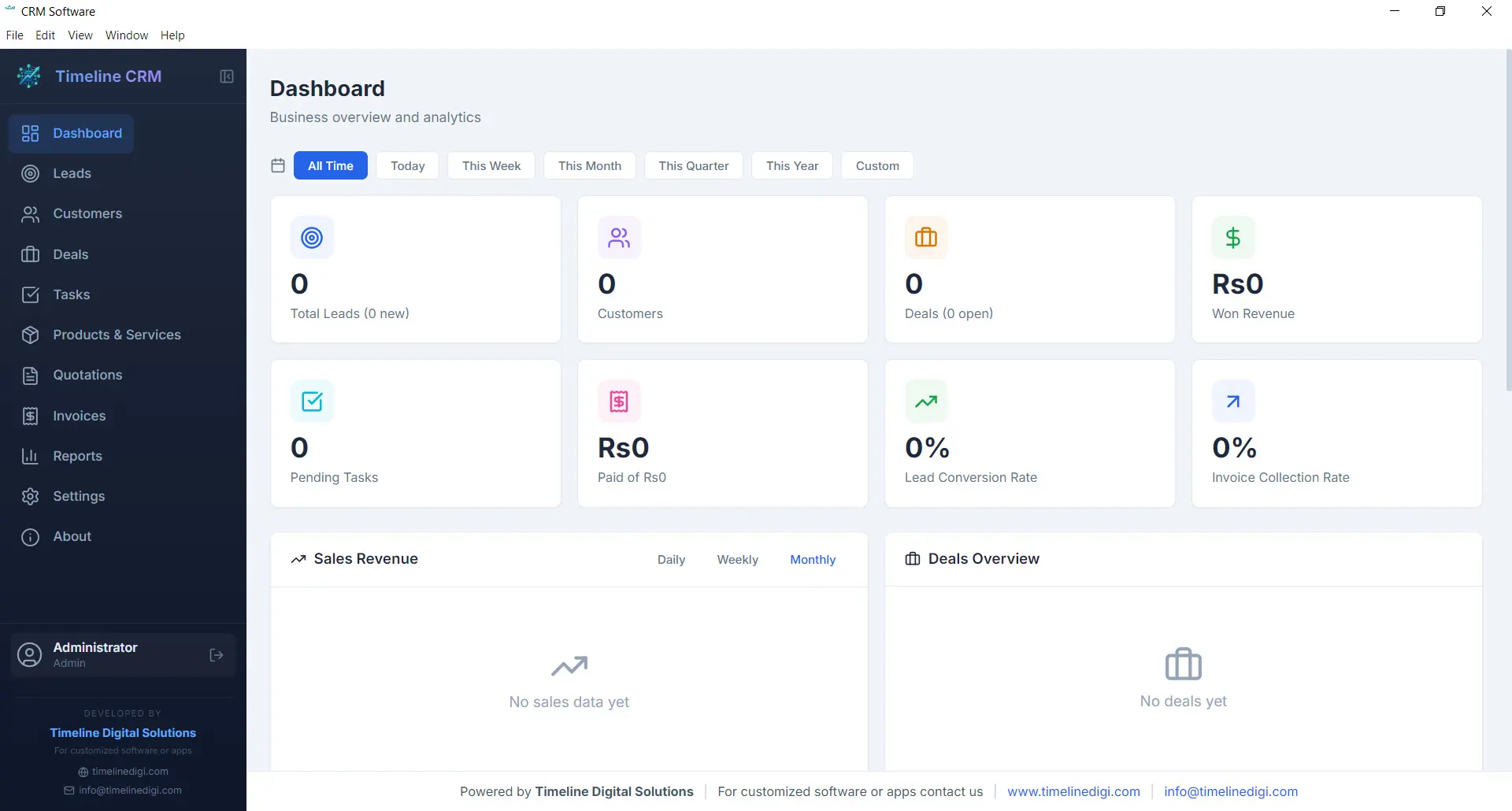
The Dashboard is your command center. Every time you open Timeline CRM, you are greeted with a comprehensive overview of your business performance. Key metrics are displayed prominently so you can gauge the health of your sales pipeline, track revenue trends, and identify areas that need attention — all without clicking through multiple screens.
Visual charts and summary cards present your data in an easy-to-digest format. Whether you want to see how many new leads came in this week, what your total deal value looks like, or which tasks are overdue, the Dashboard surfaces that information instantly. It is the first thing you see and the fastest way to stay on top of your business.
- Real-time business metrics and KPI cards
- Sales pipeline distribution chart
- Recent activity feed and upcoming tasks
- Revenue and lead trend visualizations
Leads
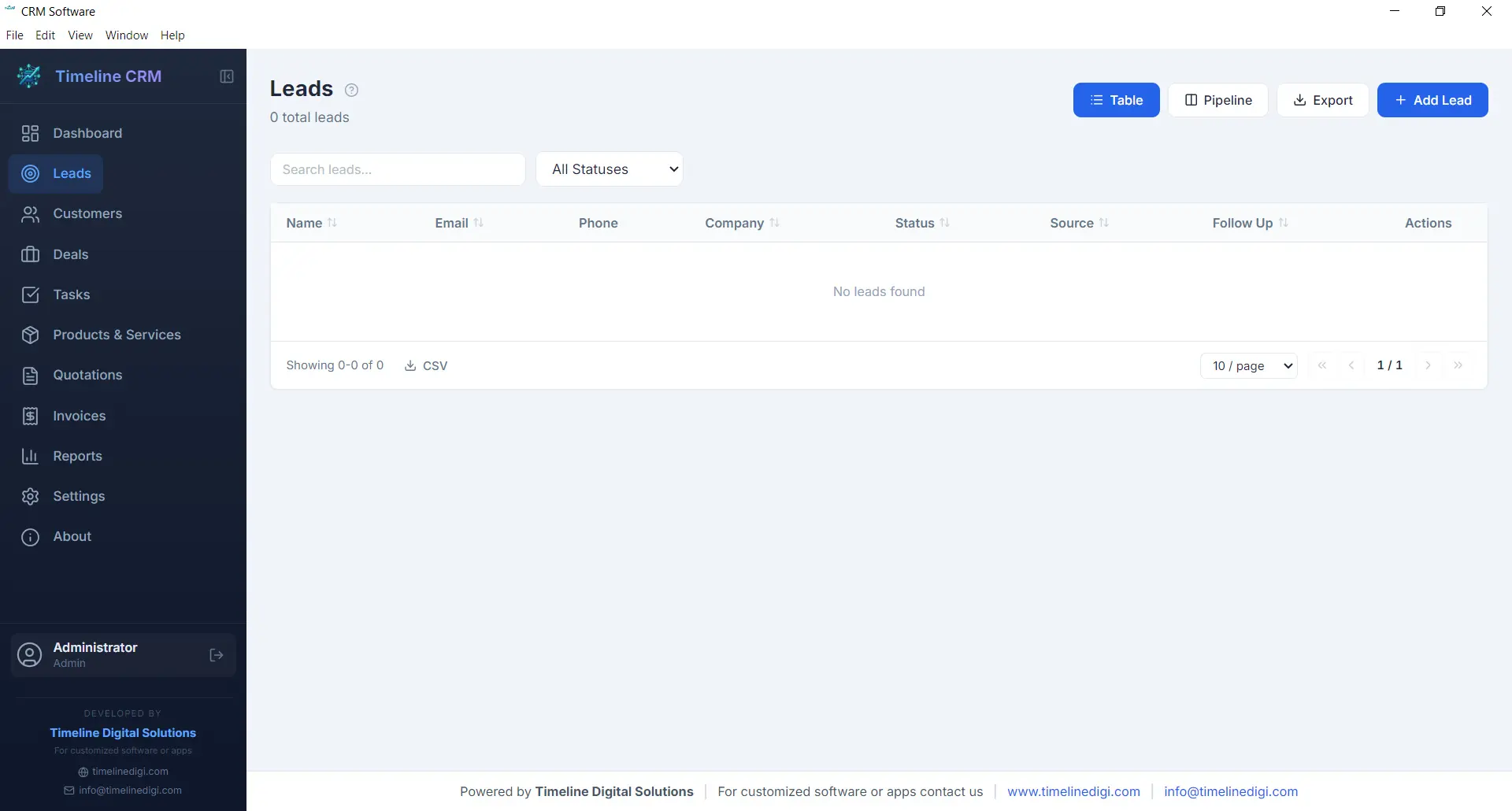
The Leads module is where every potential customer relationship begins. Capture new leads with detailed contact information, company details, and source tracking. Each lead is placed into a structured seven-stage pipeline — New, Contacted, Qualified, Proposal, Negotiation, Won, and Lost — so you always know exactly where every prospect stands in your sales process.
As you work with each lead, you can log phone calls, record meeting notes, attach documents, and track every interaction. This complete history ensures that no context is lost when you follow up days or weeks later. The pipeline view gives you a visual representation of your entire lead funnel, making it easy to spot bottlenecks and prioritize your outreach efforts.
- Seven-stage pipeline: New, Contacted, Qualified, Proposal, Negotiation, Won, Lost
- Call logging with date, duration, and notes
- Lead source and priority tracking
- Convert leads to customers with one click
Customers
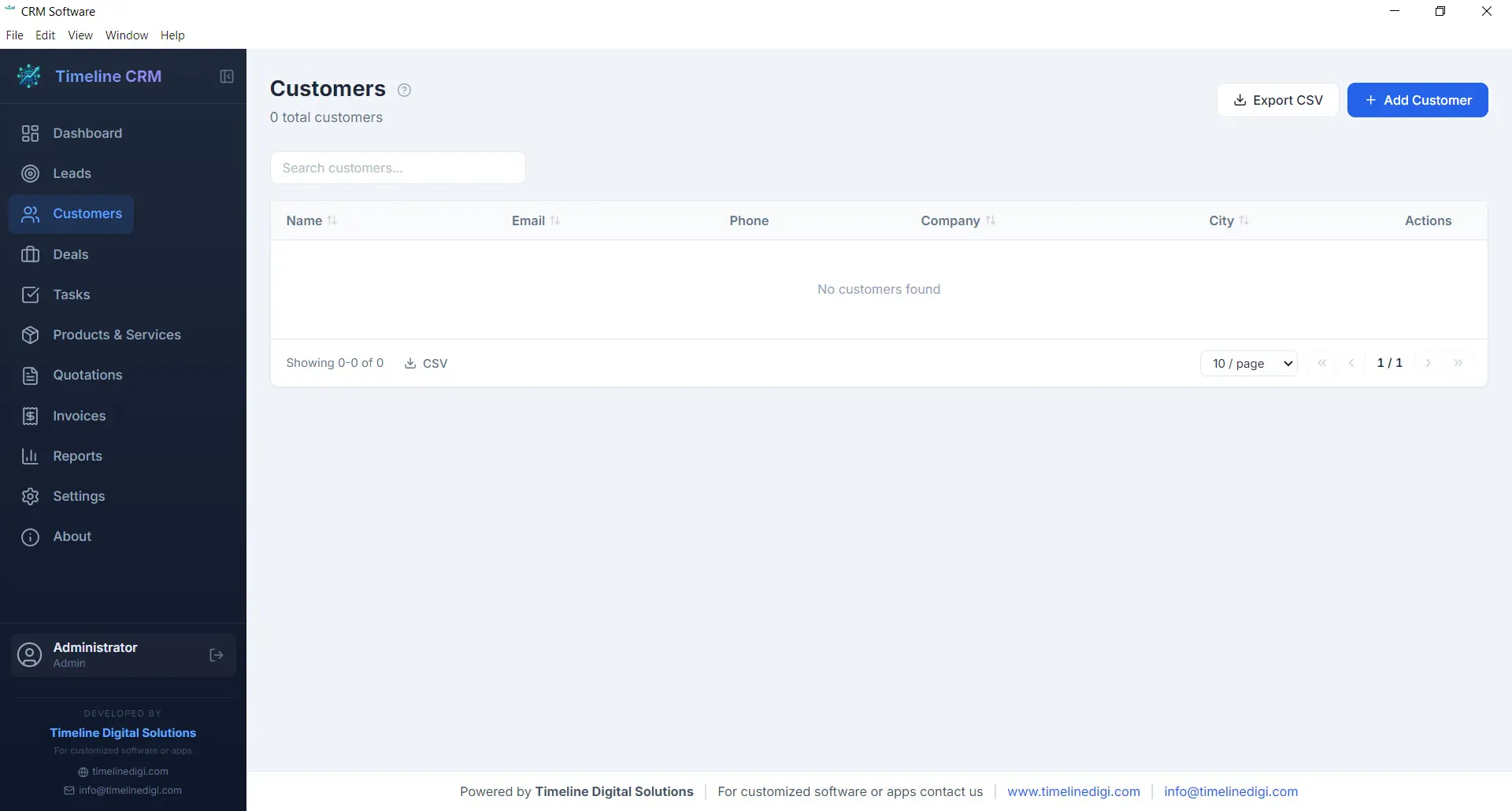
Your customers are the backbone of your business, and the Customers module helps you manage every relationship with care. Store comprehensive contact information, company details, billing addresses, and communication preferences in one organized record. When a lead is converted to a customer, all their history transfers automatically so nothing is lost in the transition.
Each customer profile acts as a hub connecting all related business data. Open any customer record and you can instantly view their associated deals, outstanding invoices, past quotations, and every note or interaction logged over time. This 360-degree view enables you to provide better service, anticipate needs, and build long-term relationships that drive repeat business.
- Complete contact and company profiles
- Full interaction and transaction history
- Linked deals, invoices, and quotations
- CSV export for customer data
Deals
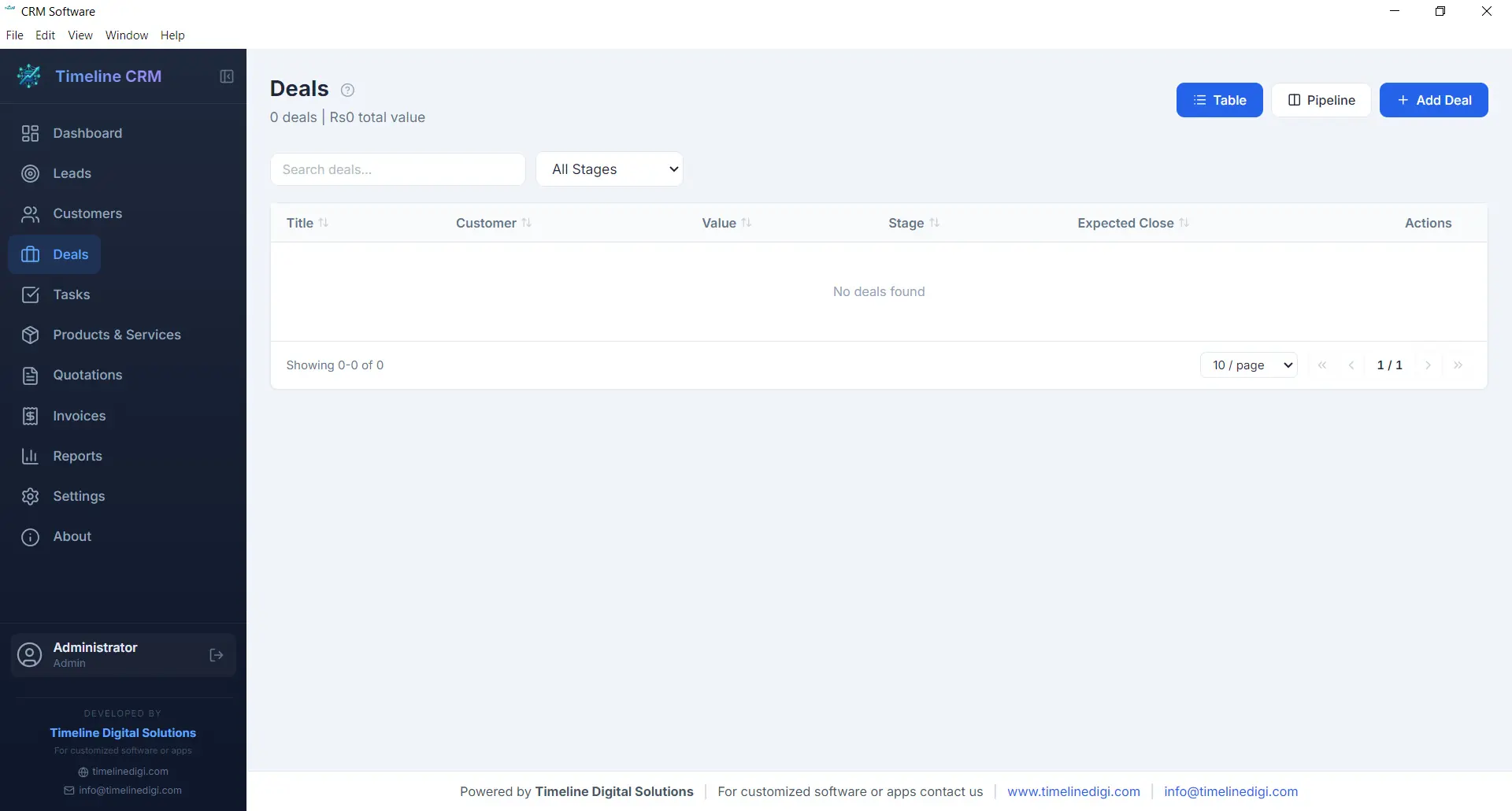
The Deals module tracks every sales opportunity from first conversation to closed contract. Each deal is assigned a monetary value, an expected close date, and a probability percentage, giving you accurate revenue forecasting at all times. The six-stage pipeline — Prospect, Qualification, Proposal, Negotiation, Won, and Lost — provides a clear visual workflow that keeps your sales process structured and predictable.
Deals are linked to specific customers and can reference related quotations, making it easy to track the progression from initial quote to final agreement. You can add notes, update stages with a single click, and monitor your weighted pipeline value to understand projected revenue. For business owners who need clarity on what money is coming in and when, the Deals module delivers that visibility.
- Six-stage pipeline: Prospect, Qualification, Proposal, Negotiation, Won, Lost
- Deal value, probability, and expected close date
- Revenue forecasting with weighted pipeline
- Linked to customers and quotations
Tasks
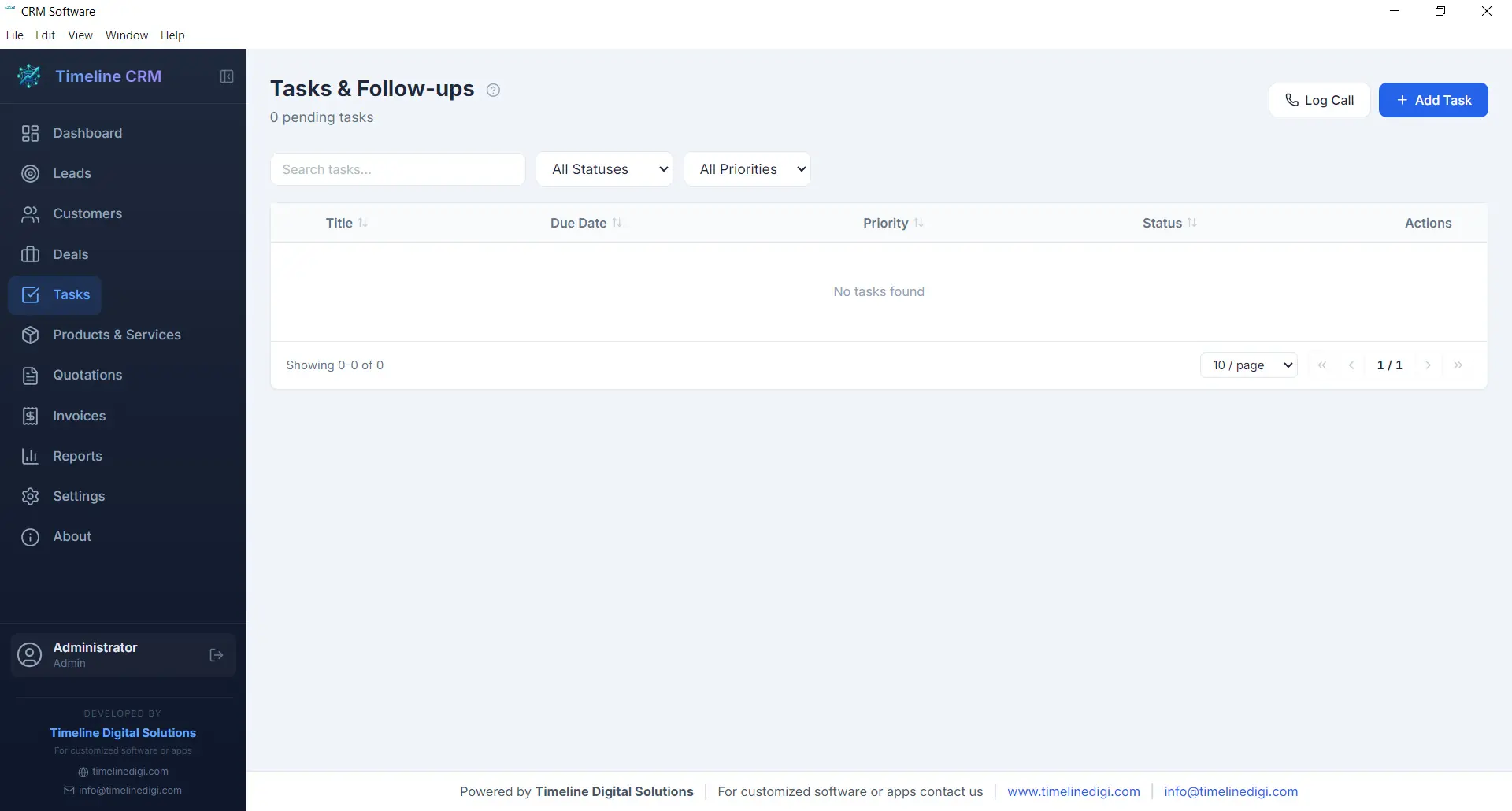
Staying organized is essential when you are managing multiple leads and deals simultaneously. The Tasks module gives you a straightforward way to create, prioritize, and track action items that keep your business moving forward. Each task can include a title, description, due date, priority level, and status, making it easy to see what needs attention right now.
Tasks can be linked to specific leads, customers, or deals, providing context about why the task exists and what it relates to. Whether you need to follow up with a prospect, prepare a proposal, or review an invoice, the Tasks module ensures nothing slips through the cracks. Overdue tasks are highlighted on the Dashboard so you can take action before opportunities are missed.
- Create tasks with due dates and priority levels
- Link tasks to leads, customers, or deals
- Status tracking: pending, in progress, completed
- Overdue task alerts on the Dashboard
Products
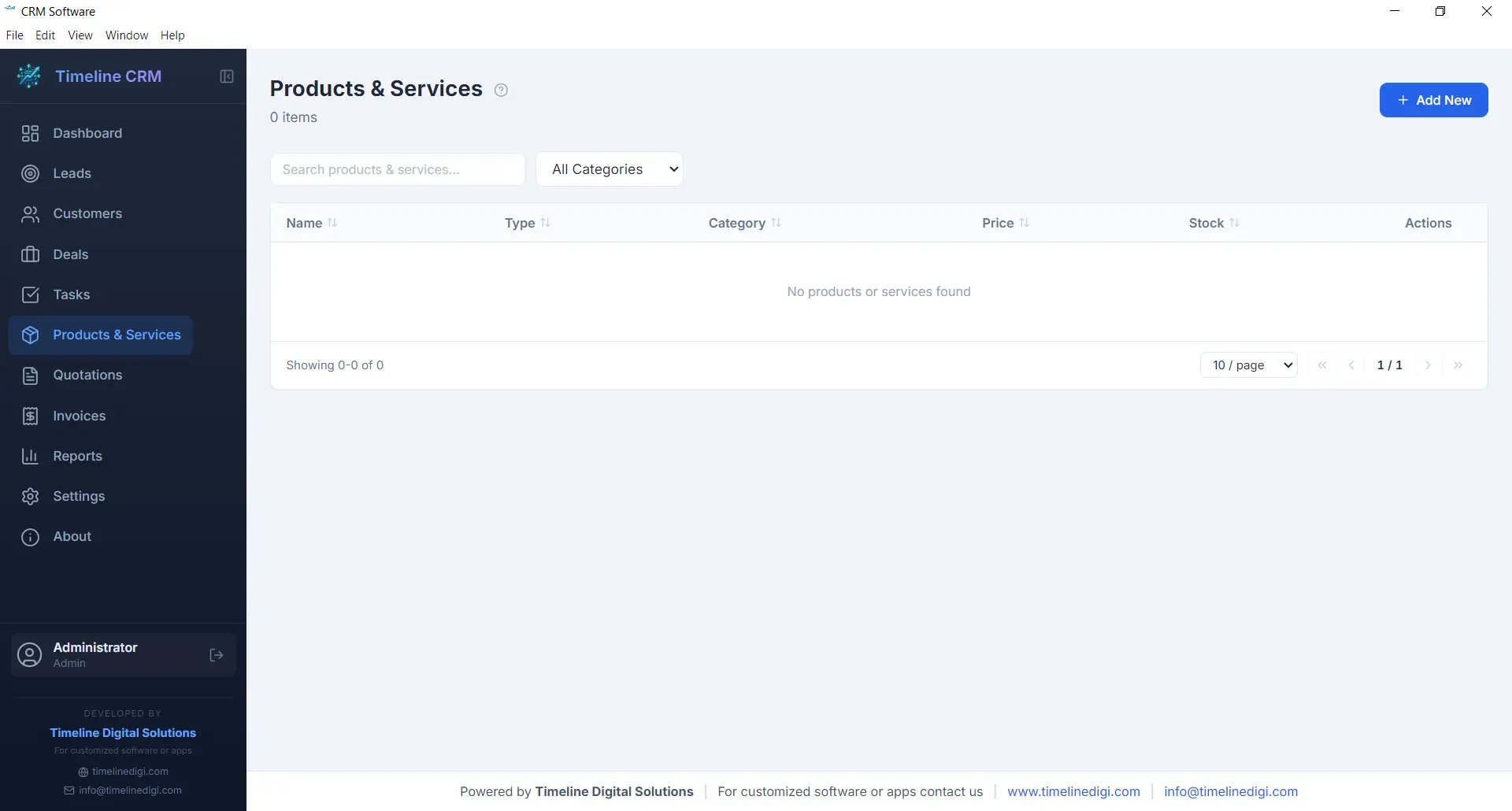
The Products module serves as your centralized catalog for everything your business sells, whether physical products, services, or subscription packages. Each product entry includes a name, description, unit price, and category, allowing you to build a well-organized inventory that feeds directly into your quotations and invoices.
Having a product catalog eliminates the repetitive task of manually entering item details every time you create a new quotation or invoice. Simply select products from your catalog, specify quantities, and the system handles the rest — including price calculations and line item formatting. This saves time, reduces errors, and ensures consistency across all your business documents.
- Centralized product and service catalog
- Name, description, price, and category fields
- Direct integration with quotations and invoices
- Unlimited product entries
Quotations
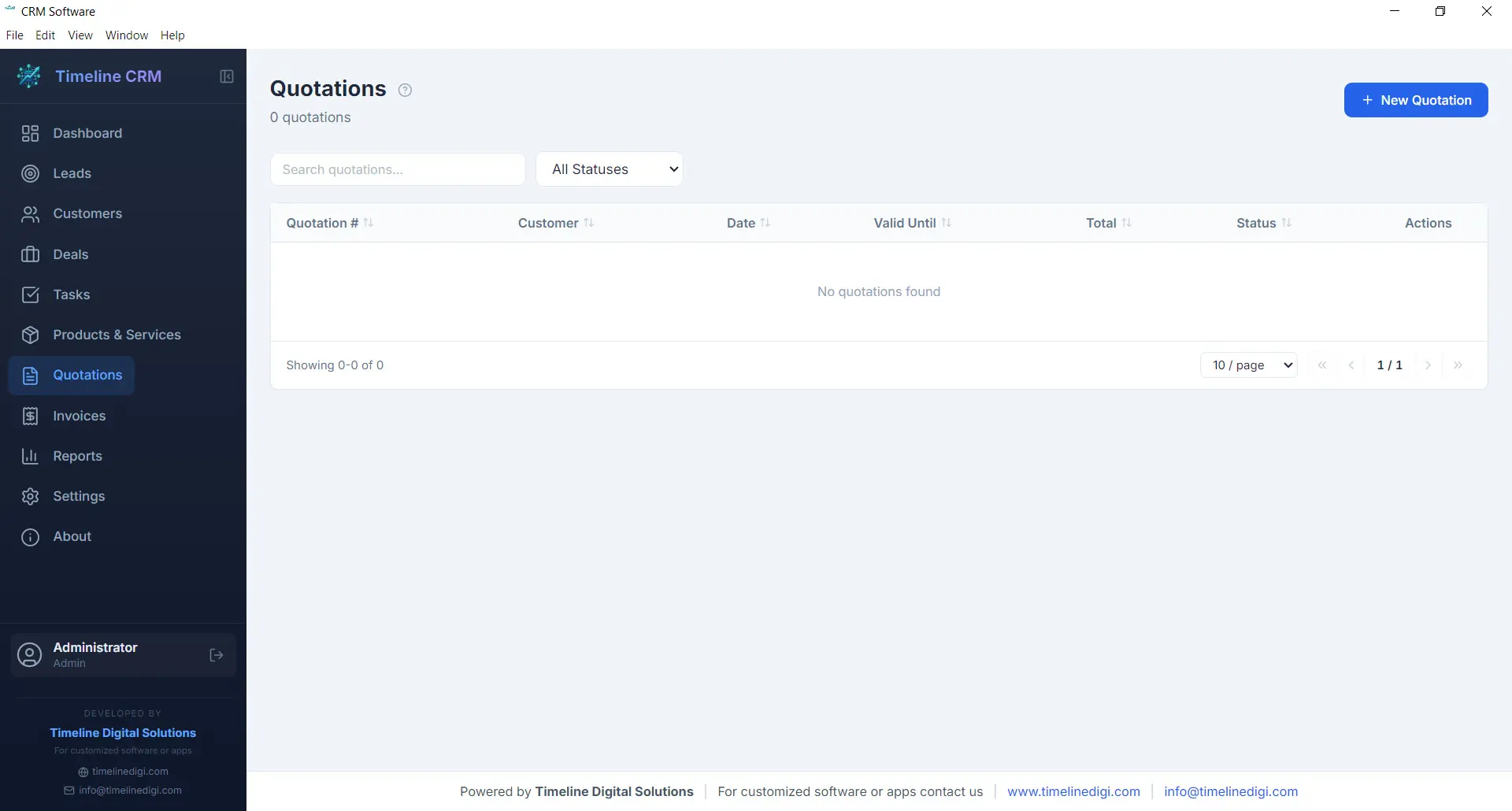
When a prospect is ready to hear your pricing, the Quotations module helps you respond quickly with a professional, branded document. Create quotations by selecting a customer, adding line items from your product catalog, adjusting quantities and pricing as needed, and generating a polished PDF in seconds. Auto-numbering ensures every quotation has a unique reference number for easy tracking.
Each quotation records the creation date, validity period, total amount, and current status. You can track whether a quote is pending, accepted, or rejected, giving you clear visibility into your conversion rates. Quotations can be linked to specific deals, so when a prospect accepts your quote, you can update the deal stage and move seamlessly toward closing the sale.
- Professional PDF quotation generation
- Auto-numbering with customizable prefix
- Line items from product catalog with quantity and pricing
- Status tracking: pending, accepted, rejected
Invoices
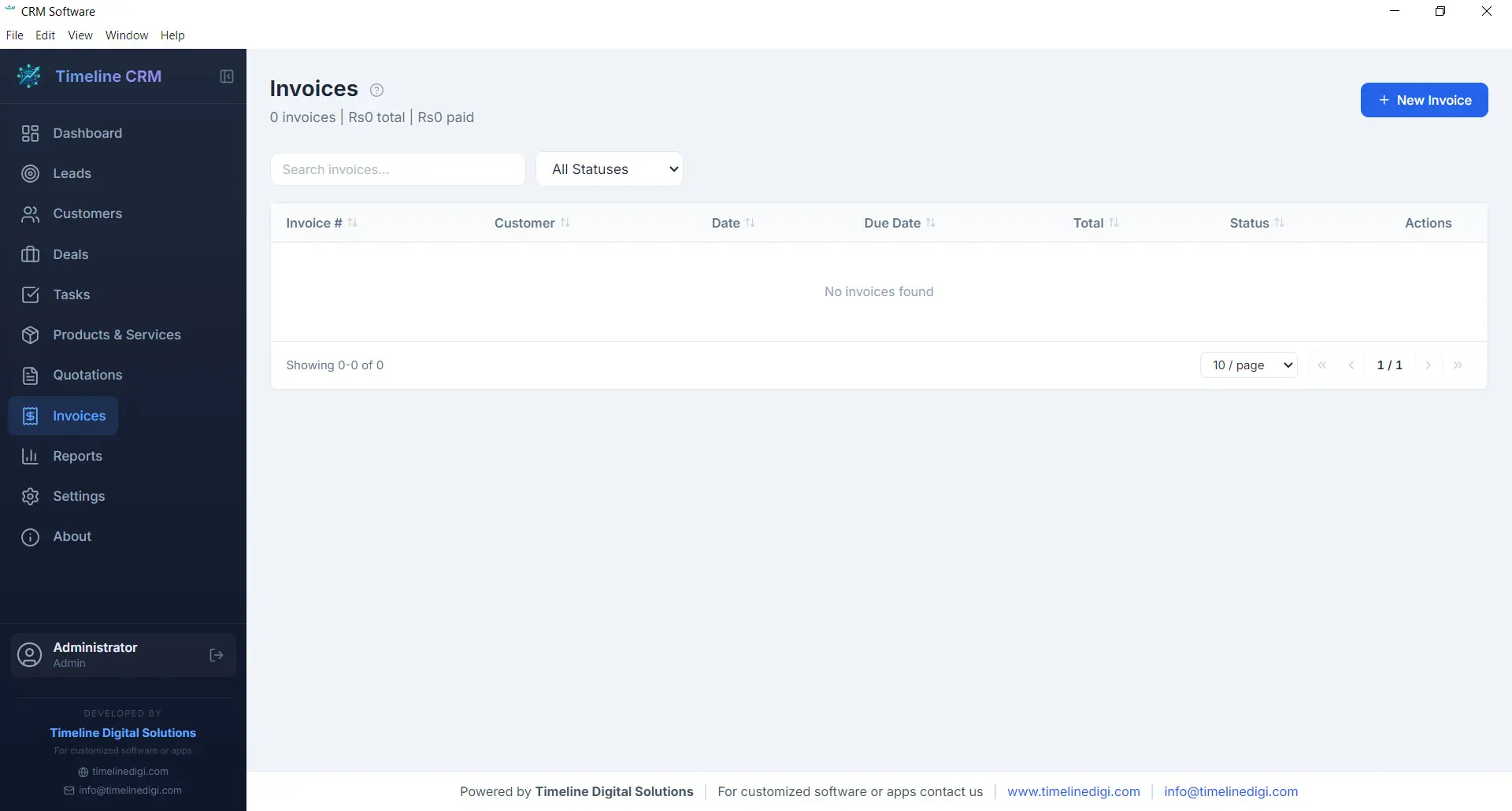
The Invoices module streamlines your billing workflow from creation to payment tracking. Generate detailed invoices with line items pulled from your product catalog, automatic tax calculations based on your configured rates, and professional formatting that represents your business well. Every invoice receives a unique auto-generated number for organized record keeping.
Track the payment status of each invoice — whether it is unpaid, partially paid, or fully settled — so you always know where your receivables stand. Export invoices as PDF documents to share with customers via email or print. The invoicing module works hand-in-hand with your customer and deal records, keeping your financial data connected to the rest of your business operations.
- PDF invoice generation with professional formatting
- Automatic tax calculations
- Payment status tracking: unpaid, partial, paid
- Auto-numbering with customizable prefix
Reports
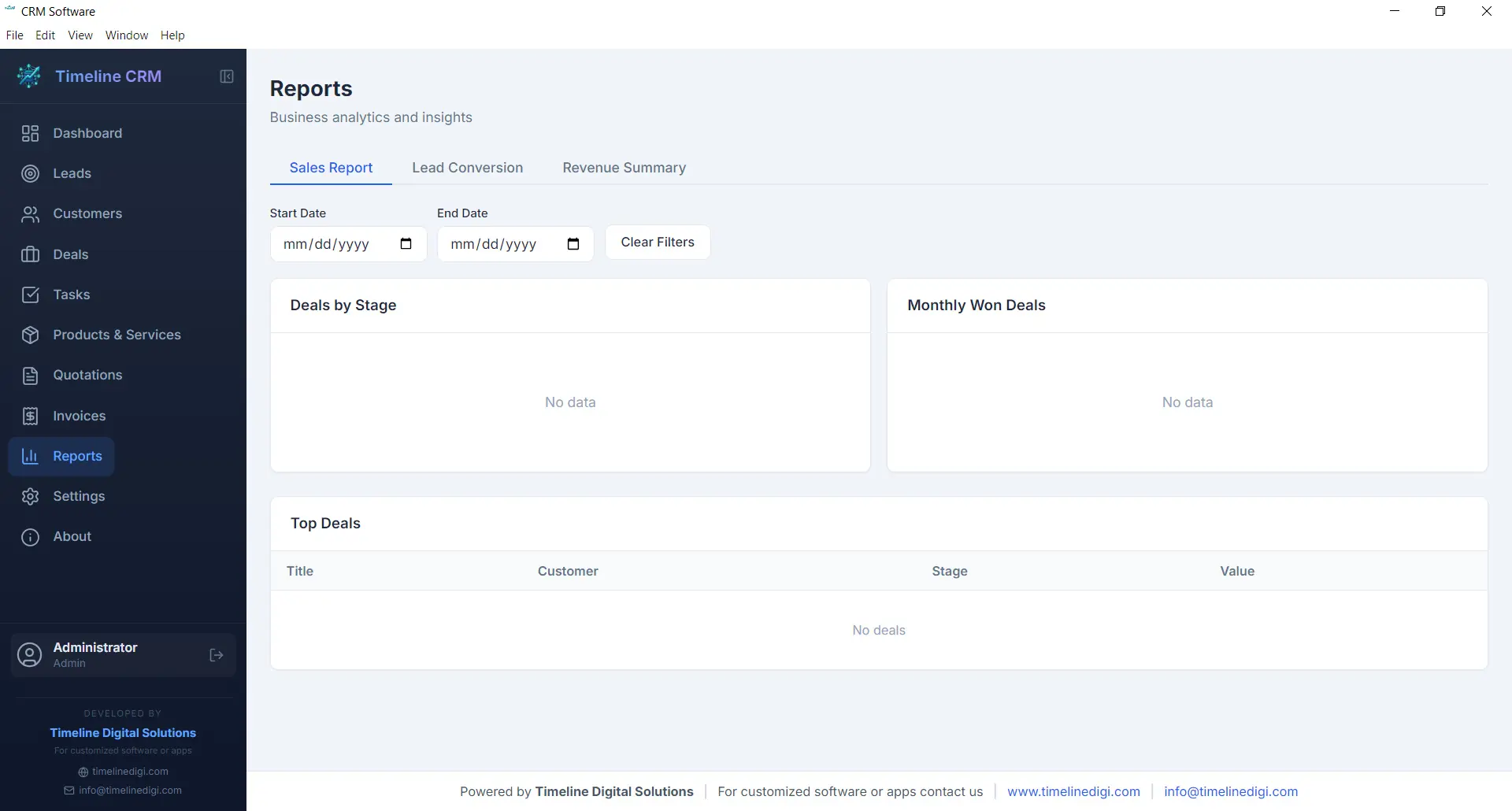
Data-driven decisions lead to better outcomes, and the Reports module gives you the insights you need without requiring a data analyst. Generate reports on sales performance, lead conversion rates, revenue trends, and pipeline health. Each report presents your data in clear, readable formats that help you understand what is working and what needs improvement.
Reports can be exported as CSV files for further analysis in spreadsheet applications or for sharing with business partners and accountants. Whether you need a monthly sales summary, a breakdown of deals by stage, or an overview of your lead sources, the Reports module produces the numbers you need to steer your business confidently.
- Sales performance and revenue reports
- Lead conversion and pipeline analysis
- CSV export for external analysis
- Visual charts and data summaries
Settings
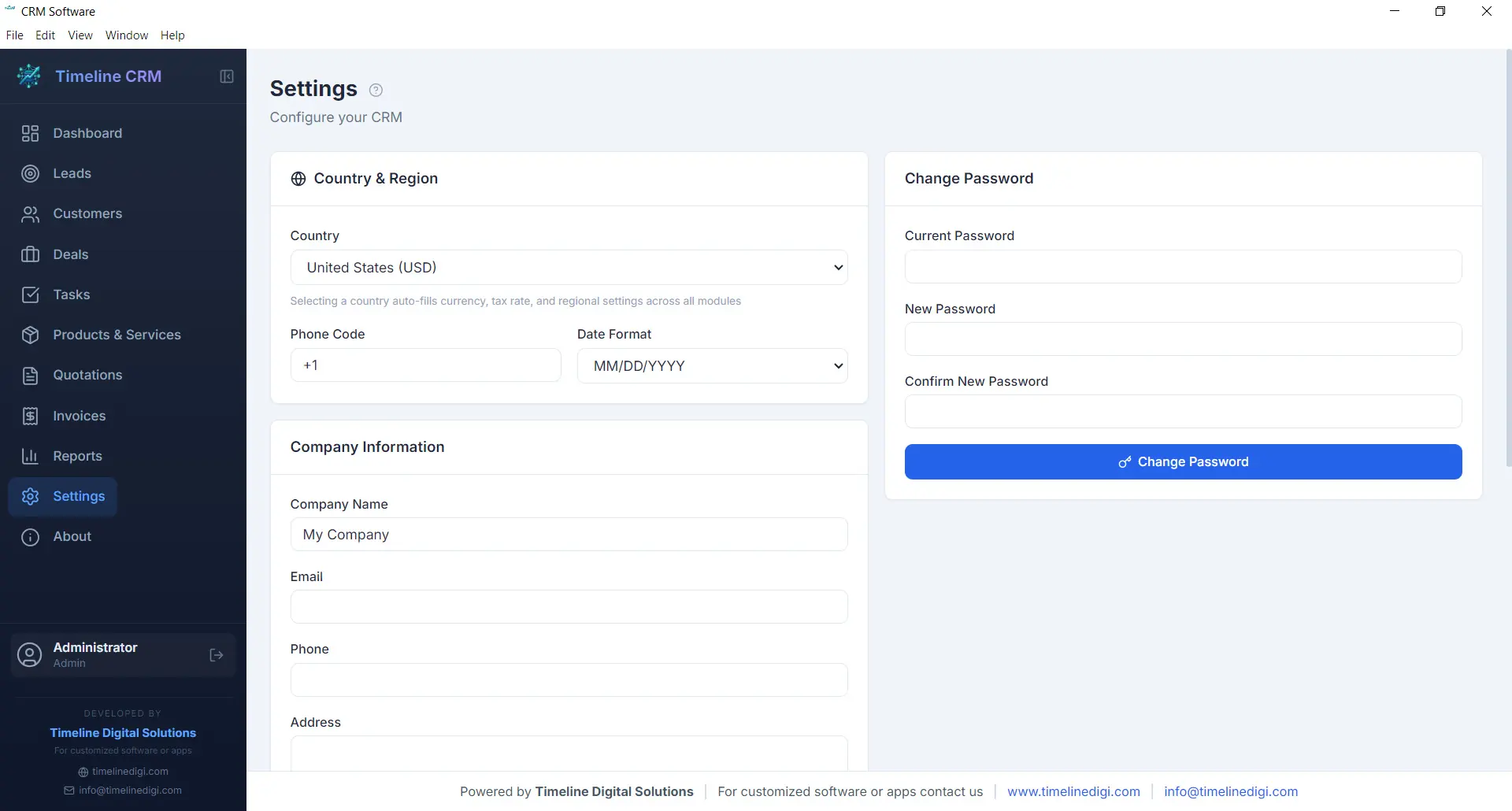
Every business has unique requirements, and the Settings module lets you tailor Timeline CRM to match yours. Configure your company name, logo, address, and contact details so that all generated documents — quotations and invoices — carry your branding. Set your preferred currency, tax rates, and country-based formatting to ensure financial calculations and number formats are correct for your region.
Customize auto-numbering prefixes for quotations and invoices to match your existing document numbering scheme. Adjust date formats, language preferences, and other display options to create a workspace that feels familiar and efficient. The Settings module is designed to be configured once and then work seamlessly in the background as you use every other module.
- Company profile and branding configuration
- Currency, tax, and country-based settings
- Auto-numbering prefix customization
- Date format and display preferences
Offline & Secure
Privacy and data ownership are fundamental principles of Timeline CRM. Unlike cloud-based CRM systems that store your sensitive business data on third-party servers, Timeline CRM keeps everything on your local machine. The application uses SQLite as its database engine, storing all your leads, customers, deals, invoices, and other records in a single file on your hard drive that you fully control.
Because the application works entirely offline, you are never vulnerable to server outages, internet disruptions, or subscription cancellations that could lock you out of your own data. Your business information is always accessible, always private, and always yours. Back up your data by simply copying the database file, and rest assured that no one else has access to your customer information.
- 100% local data storage using SQLite
- No internet connection required
- No third-party data access or sharing
- Simple file-based backup and portability
All These Features. Completely Free.
Every module, every feature, every capability described above is included at no cost. Download Timeline CRM and start using all eleven modules today — no trial period, no feature restrictions, no credit card required.
Download Timeline CRM FreeVersion 1.0.0 • Windows 10/11 • 64-bit
See Timeline CRM in Action
Timeline CRM helps businesses manage leads, contacts, deals, quotations, invoices, and follow-ups in one place. Explore core workflows and compare related guides to choose the best setup for your team.