
CRM: What It Is and Why Your Business Needs It
CRM, or Customer Relationship Management, is both a business philosophy and a category of software that has transformed how organizations of every size interact with their customers, track sales opportunities, and drive sustainable revenue growth. At its core, CRM is about putting the customer at the center of everything your business does — capturing every interaction, understanding every need, and delivering consistent experiences that build loyalty and generate referrals. CRM software makes this possible at scale by providing a centralized platform where contact information, communication histories, pipeline stages, financial documents, and performance analytics converge into a single, searchable system. Without CRM, businesses rely on fragmented tools — spreadsheets for contacts, email for communication, word processors for invoices, and intuition for forecasting. CRM replaces that fragmentation with integration, visibility, and structure. Whether you are a solo entrepreneur managing your first dozen clients or a growing company with a dedicated sales team, understanding CRM and implementing the right solution is one of the highest-impact decisions you can make for your business. Timeline CRM offers a free, offline desktop CRM for Windows that delivers all 11 essential modules with zero cost and complete data privacy, making it an ideal starting point for businesses ready to take customer management seriously.
Developed By
Timeline Digital Solutions
For customized software or apps, contact Timeline Digital Solutions. We build practical business software, CRM systems, and tailored digital tools for real-world business operations.
Table of Contents
What Is CRM? A Complete Definition
Customer Relationship Management encompasses the strategies, practices, and technologies that businesses use to manage and analyze customer interactions and data throughout the entire customer lifecycle. The goal is straightforward: improve business relationships, increase customer retention, and drive sales growth. CRM as a concept extends beyond software alone — it represents a commitment to understanding your customers deeply, responding to their needs proactively, and building lasting relationships that generate recurring revenue and word-of-mouth referrals.
In practical terms, CRM software serves as the operational engine for this philosophy. It provides a structured database where every piece of customer information is stored and accessible: contact details, communication logs, purchase history, deal status, pending tasks, quotations sent, invoices outstanding, and notes from conversations. This centralization eliminates the information silos that plague businesses relying on disconnected tools. When a team member picks up the phone to speak with a client, the CRM instantly surfaces everything known about that relationship, enabling informed and personalized conversations.
Modern CRM software also adds process structure to customer management through defined pipeline stages. Rather than treating sales as an amorphous activity, CRM defines clear stages — from initial contact through qualification, proposal, negotiation, and close. This structure provides visibility into where each opportunity stands, what actions are needed next, and where the overall pipeline has strengths or weaknesses. For businesses of any size, this visibility transforms customer management from a reactive scramble into a proactive, measurable discipline.
The History and Evolution of CRM
The roots of CRM trace back to the early 1980s when businesses first began digitizing their Rolodexes and contact lists into basic database management systems. These early digital contact managers replaced paper-based records with searchable electronic files, but they were little more than glorified address books. The term "Customer Relationship Management" emerged in the 1990s as software vendors recognized the opportunity to build comprehensive platforms that went beyond storing names and phone numbers to actually tracking the full lifecycle of customer interactions.
The late 1990s and early 2000s saw the rise of enterprise CRM platforms that combined sales force automation, marketing campaign management, and customer service tools into unified suites. These systems were powerful but expensive, complex, and accessible primarily to large corporations with dedicated IT departments and six-figure software budgets. The mid-2000s brought the cloud revolution to CRM, with web-based platforms that eliminated the need for on-premise server infrastructure and made CRM accessible through any browser with an internet connection. This shift democratized CRM by lowering the barrier to entry, though it introduced monthly subscription costs and data privacy considerations that persist today.
The current generation of CRM software spans a wide spectrum. Enterprise cloud platforms serve large organizations with extensive customization and integration ecosystems. Lightweight cloud tools target startups with basic contact management. And desktop CRM applications like Timeline CRM represent a return to the simplicity, privacy, and cost-effectiveness of locally installed software — but built with modern technologies like Electron, React, and SQLite that deliver responsive, polished user experiences. This evolution ensures that every business, regardless of size or budget, has access to professional-grade customer management tools.
How CRM Software Works
CRM software operates around a central database that stores every customer record and interaction. When a new prospect enters your world — through a website inquiry, a phone call, a networking event, or a referral — you create a lead record in the CRM that captures their contact information, the source of the lead, and any initial notes about their needs. That lead record then enters your pipeline, a visual representation of your sales process divided into defined stages. In Timeline CRM, the lead pipeline includes seven stages, allowing you to track prospects from initial contact through qualification and beyond.
As you interact with leads, the CRM accumulates a chronological history of every touchpoint. Call logs record when you spoke and what was discussed. Tasks remind you of scheduled follow-ups and deadlines. Notes capture important details that inform future conversations. When a lead progresses to the point of receiving a formal proposal, you generate a quotation directly within the CRM, pulling from your product catalog and producing a professionally formatted document with auto-numbering and PDF export capabilities. If the deal moves forward, you create an invoice linked to the customer record, complete with payment tracking to monitor outstanding balances.
Behind all of this activity, the CRM's reporting engine continuously compiles your data into visual analytics. Dashboards show pipeline value by stage, conversion rates between stages, revenue trends over time, and task completion metrics. These insights help you identify patterns, forecast revenue, allocate resources effectively, and make informed decisions about where to focus your sales efforts. The entire cycle — from lead capture through pipeline management, document generation, and performance analysis — happens within a single integrated application, eliminating the need for separate tools and manual data transfer between systems.
Types of CRM Software: Cloud, Desktop, and On-Premise
CRM software falls into three primary deployment categories, each with distinct advantages and trade-offs. Cloud CRM is the most widely marketed category, with platforms hosted on vendor-managed remote servers and accessed through web browsers. The advantages include multi-device access, automatic updates, and real-time collaboration for distributed teams. The disadvantages include mandatory internet connectivity, recurring monthly subscription fees that scale with team size, and the reality that your customer data resides on third-party infrastructure subject to the vendor's security practices, terms of service changes, and potential data breaches.
Desktop CRM is installed directly on your local computer and stores data on your machine. This approach offers significant advantages for data privacy — your customer information never leaves your hardware unless you explicitly choose to transfer it. Desktop CRM works offline without interruption, delivers fast performance because data access does not depend on internet speed, and typically avoids subscription pricing because there are no cloud hosting costs for the vendor to recover. Timeline CRM exemplifies the modern desktop CRM approach: built with Electron and React for a polished user experience, powered by SQLite for reliable local data storage, and available for Windows 10 and 11 at absolutely zero cost.
On-premise CRM is hosted on your own company's servers, managed by your internal IT team. This approach provides maximum control over infrastructure and data but requires significant investment in server hardware, network configuration, database administration, and ongoing maintenance. On-premise CRM is primarily suitable for large enterprises with established IT departments and specific compliance requirements that mandate internal hosting. For small and mid-sized businesses, desktop CRM delivers comparable data control advantages without the infrastructure overhead, making it the practical choice for organizations that prioritize privacy and offline capability without the complexity of managing their own servers.
Core CRM Capabilities in Timeline CRM
Contact Management
Store unlimited customer, lead, and vendor records with complete interaction histories, call logs, and notes. A centralized database replaces scattered spreadsheets and email searches.
Sales Pipeline Tracking
Visual Kanban boards with drag-and-drop functionality track leads through 7 stages and deals through 6 stages. See your entire sales funnel at a glance and identify bottlenecks immediately.
Document Generation
Create professional quotations and invoices with auto-numbering, product catalog integration, and PDF export. Payment tracking on invoices monitors your accounts receivable in real time.
Task Management
Create, assign, and track tasks with deadlines and priorities. Link tasks to specific contacts or deals to ensure every follow-up happens on time and nothing slips through the cracks.
Analytics and Reporting
Visual dashboards display pipeline health, conversion rates, revenue trends, and activity metrics. Turn raw data into actionable intelligence without exporting to external tools.
Offline and Secure
All data stored locally on your Windows PC in a SQLite database. No internet required, no cloud servers, no third-party access. Complete data ownership and privacy by design.
Key Benefits of CRM for Businesses of All Sizes
The benefits of implementing CRM software extend across every aspect of customer-facing business operations. The most immediate impact is organizational: CRM eliminates the chaos of managing relationships through disconnected tools. When every contact, conversation, deal, task, and document lives in a single system, the time spent searching for information drops dramatically. Team members gain a shared understanding of each customer's status and history, enabling consistent and informed interactions regardless of who handles the next touchpoint. This consistency directly improves customer satisfaction because clients feel understood and valued rather than repeatedly explaining their situation to different people.
Revenue impact is the second major benefit category. CRM users consistently report higher close rates because pipeline visibility ensures that promising opportunities receive appropriate attention and timely follow-up. The structured approach to tracking deals through defined stages creates accountability — it becomes immediately apparent when opportunities are stalling or when follow-ups are overdue. Combined with task management that generates reminders for scheduled activities, CRM creates a disciplined sales rhythm that converts more leads into paying customers.
Strategic intelligence represents the long-term advantage of CRM adoption. As your database grows, the reporting and analytics capabilities reveal patterns that are invisible without aggregated data. You discover which lead sources produce the highest conversion rates, how long your typical sales cycle takes at each pipeline stage, which products generate the most revenue, and how your performance trends over months and quarters. These insights enable evidence-based strategy rather than gut-feel decision making, allowing you to allocate time and resources where they produce the greatest return. For businesses of all sizes, this progression from organized data to actionable intelligence is what makes CRM a transformative investment.
Getting Started with CRM Using Timeline CRM
If you have read this far and recognize that CRM is the missing piece in your business operations, the barrier to getting started is lower than you think. Timeline CRM, built by Timeline Digital Solutions, is a free desktop CRM for Windows that you can download and begin using in minutes. There is no sales process, no demo request, no trial period countdown, and no credit card form. Visit the download page, install the application on your Windows 10 or 11 (64-bit) computer, and every feature described in this guide is immediately available to you.
Start your CRM journey by adding your most important current contacts and active prospects to the system. Use the Leads module with its 7-stage Kanban pipeline to organize prospects by their current status. Create tasks for any pending follow-ups to build the habit of checking your CRM daily for scheduled activities. As conversations progress, log notes and calls to build interaction histories. When a prospect is ready for a formal proposal, use the Quotations module to generate a professional document pulled from your Products catalog. Upon closing, create an Invoice with payment tracking to monitor the financial side of the relationship.
Within weeks, you will have a functioning CRM database that gives you instant visibility into your pipeline, your customer relationships, and your pending activities. Within months, your Reports and Analytics module will begin surfacing meaningful patterns in your data. The compounding value of CRM grows with every record you add, every interaction you log, and every deal you track through your pipeline. And because Timeline CRM is permanently free, locally stored, and fully offline, you are building this intelligence on a platform that will never charge you, never lose your data to a cloud outage, and never hold your business information hostage behind a paywall.
Frequently Asked Questions About CRM
What does CRM stand for? ▾
CRM stands for Customer Relationship Management. It refers to both the business strategy of managing interactions with current and potential customers and the software tools used to implement that strategy. CRM software centralizes contact information, tracks sales pipelines, manages tasks, generates documents like invoices and quotations, and provides analytics to help businesses build stronger customer relationships and close more deals.
What are the main types of CRM software? ▾
There are three main types: cloud CRM (hosted on remote servers, accessed via browser, requires internet and monthly subscription), desktop CRM (installed locally on your computer, works offline, stores data on your machine), and on-premise CRM (hosted on your own company servers, managed by your IT team). Desktop CRM like Timeline CRM offers the best combination of privacy, offline access, and zero cost for small businesses.
Why does my business need a CRM? ▾
A CRM eliminates the chaos of managing customer relationships through scattered spreadsheets, emails, and memory. It centralizes all contact data, provides visual sales pipelines, automates document creation, tracks tasks and follow-ups, and delivers analytics that reveal what is working in your sales process. Businesses using CRM consistently report higher conversion rates, improved customer retention, and better revenue visibility.
How does CRM software work? ▾
CRM software works by creating a central database where every customer interaction is recorded. When a new lead enters your pipeline, the CRM tracks it through defined stages. You can log calls, set follow-up tasks, generate quotations, create invoices, and monitor deal progress. Analytics dashboards compile this data into actionable insights about your pipeline health, conversion rates, and revenue trends.
Is CRM only for large businesses? ▾
No. CRM is valuable for businesses of every size. Small businesses and solo entrepreneurs often benefit the most because CRM introduces structure and accountability to sales processes that would otherwise rely on memory and manual effort. Timeline CRM is specifically designed to be accessible to small businesses — it is free, requires no technical setup, and runs offline on any Windows 10 or 11 PC.
What is the difference between cloud CRM and desktop CRM? ▾
Cloud CRM stores your data on the vendor's remote servers and requires an internet connection and monthly subscription. Desktop CRM stores data locally on your computer, works offline, and typically has no recurring fees. Cloud CRM is better for large distributed teams needing real-time collaboration. Desktop CRM is better for data privacy, offline reliability, and cost savings.
Can I use CRM without an internet connection? ▾
It depends on the type. Cloud CRMs require an internet connection to access your data. Desktop CRMs like Timeline CRM work completely offline because they store all data in a local database on your computer. This is a significant advantage for businesses in areas with unreliable internet, professionals who travel frequently, or anyone who prioritizes data privacy.
What is the best free CRM software available? ▾
Timeline CRM is one of the best free CRM options available. It provides 11 fully integrated modules — Dashboard, Leads, Customers, Deals, Tasks, Products, Quotations, Invoices, Reports, Settings, and Offline Security — at zero cost with no feature restrictions or contact limits. It is a desktop application for Windows that stores data locally, requires no subscription, and works offline.
Start Your CRM Journey Today — For Free
Now that you understand what CRM is and why it matters, take the next step. Download Timeline CRM and experience all 11 modules with zero cost, full offline access, and complete data ownership.
Download Timeline CRM FreeRelated Pages
Best CRM 2025
Compare leading CRM solutions on pricing, features, privacy, and ease of use.
CRM for Small Business
Why small businesses need CRM and how to get started on any budget.
Free Desktop CRM
The advantages of desktop CRM for offline access, data privacy, and zero cost.
All Features
Detailed overview of all 11 modules included in Timeline CRM.
Every Feature You Need,
Zero Cost
Timeline CRM packs a complete suite of business management tools into one free desktop application. From lead capture to invoice generation, every module is designed to help small businesses operate more efficiently without paying for expensive cloud subscriptions.
Dashboard
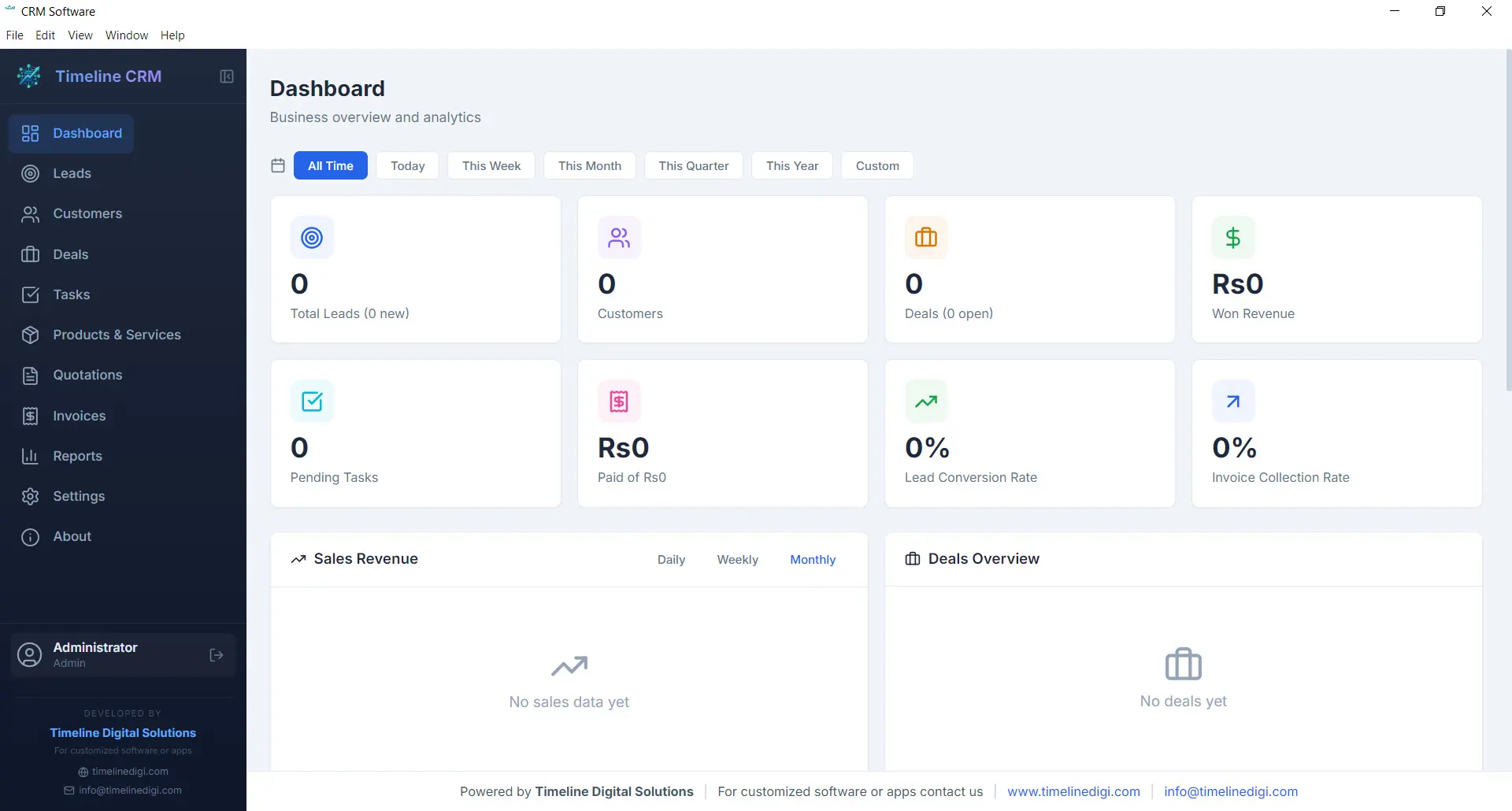
The Dashboard is your command center. Every time you open Timeline CRM, you are greeted with a comprehensive overview of your business performance. Key metrics are displayed prominently so you can gauge the health of your sales pipeline, track revenue trends, and identify areas that need attention — all without clicking through multiple screens.
Visual charts and summary cards present your data in an easy-to-digest format. Whether you want to see how many new leads came in this week, what your total deal value looks like, or which tasks are overdue, the Dashboard surfaces that information instantly. It is the first thing you see and the fastest way to stay on top of your business.
- Real-time business metrics and KPI cards
- Sales pipeline distribution chart
- Recent activity feed and upcoming tasks
- Revenue and lead trend visualizations
Leads
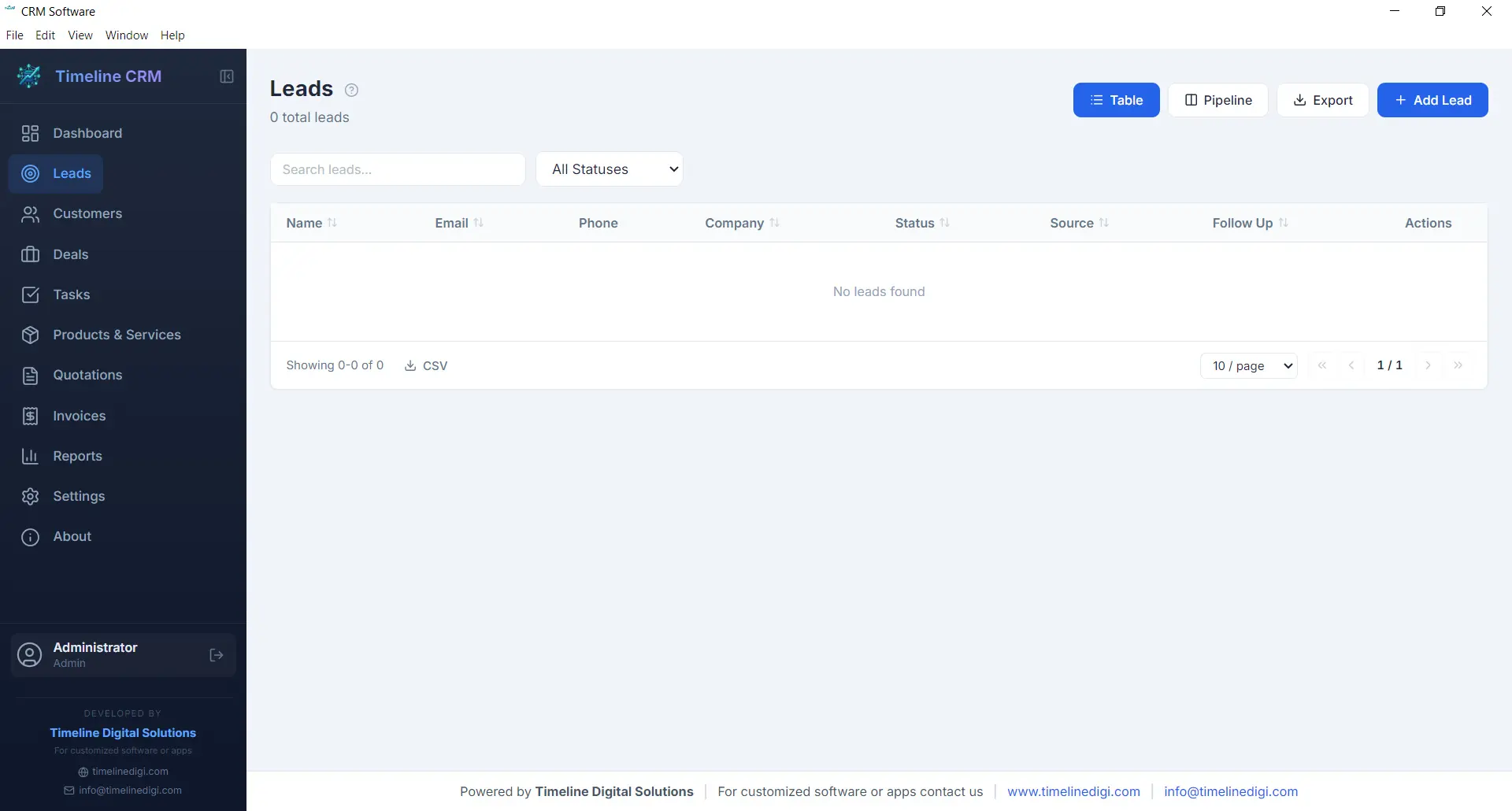
The Leads module is where every potential customer relationship begins. Capture new leads with detailed contact information, company details, and source tracking. Each lead is placed into a structured seven-stage pipeline — New, Contacted, Qualified, Proposal, Negotiation, Won, and Lost — so you always know exactly where every prospect stands in your sales process.
As you work with each lead, you can log phone calls, record meeting notes, attach documents, and track every interaction. This complete history ensures that no context is lost when you follow up days or weeks later. The pipeline view gives you a visual representation of your entire lead funnel, making it easy to spot bottlenecks and prioritize your outreach efforts.
- Seven-stage pipeline: New, Contacted, Qualified, Proposal, Negotiation, Won, Lost
- Call logging with date, duration, and notes
- Lead source and priority tracking
- Convert leads to customers with one click
Customers
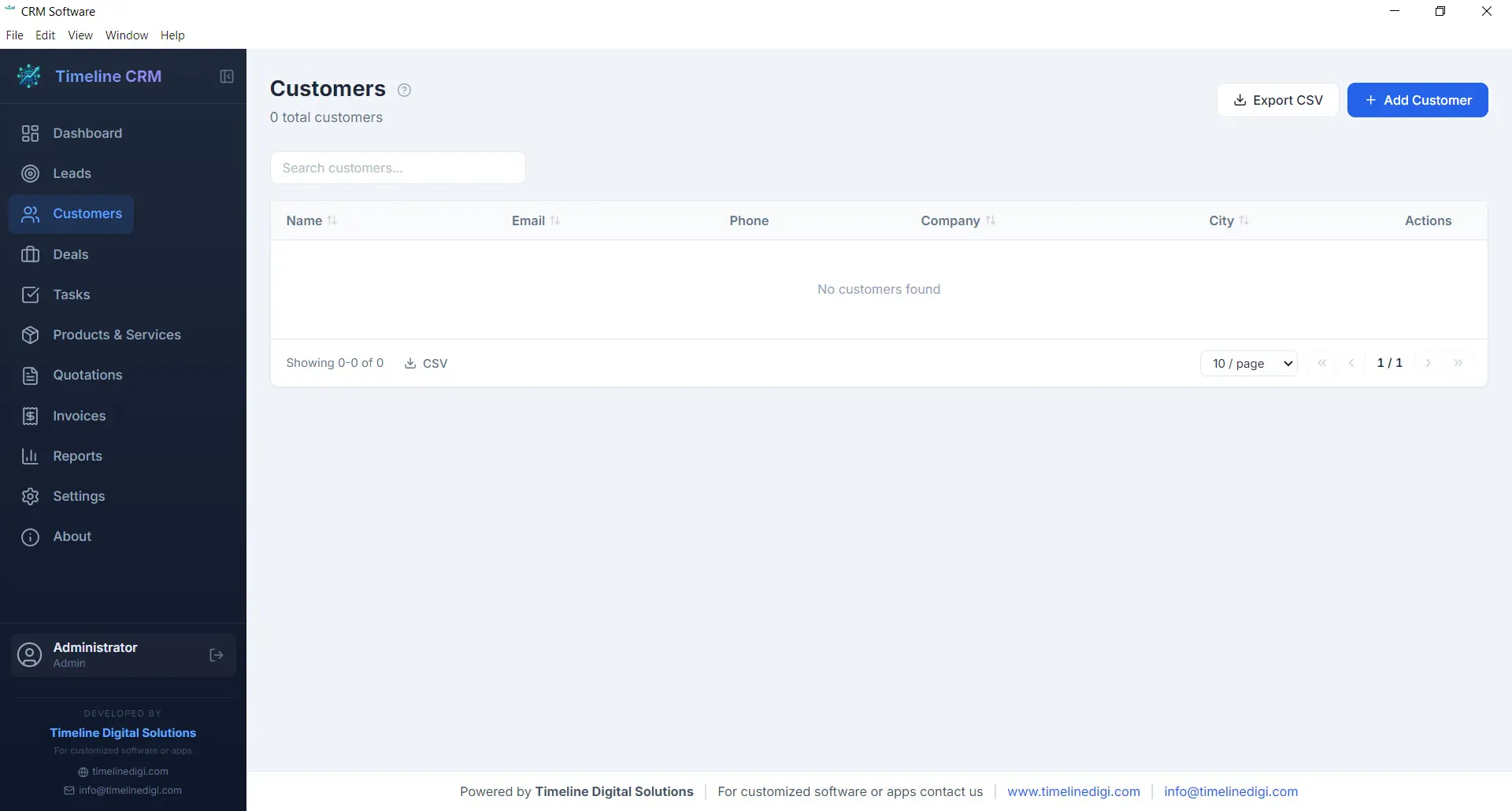
Your customers are the backbone of your business, and the Customers module helps you manage every relationship with care. Store comprehensive contact information, company details, billing addresses, and communication preferences in one organized record. When a lead is converted to a customer, all their history transfers automatically so nothing is lost in the transition.
Each customer profile acts as a hub connecting all related business data. Open any customer record and you can instantly view their associated deals, outstanding invoices, past quotations, and every note or interaction logged over time. This 360-degree view enables you to provide better service, anticipate needs, and build long-term relationships that drive repeat business.
- Complete contact and company profiles
- Full interaction and transaction history
- Linked deals, invoices, and quotations
- CSV export for customer data
Deals
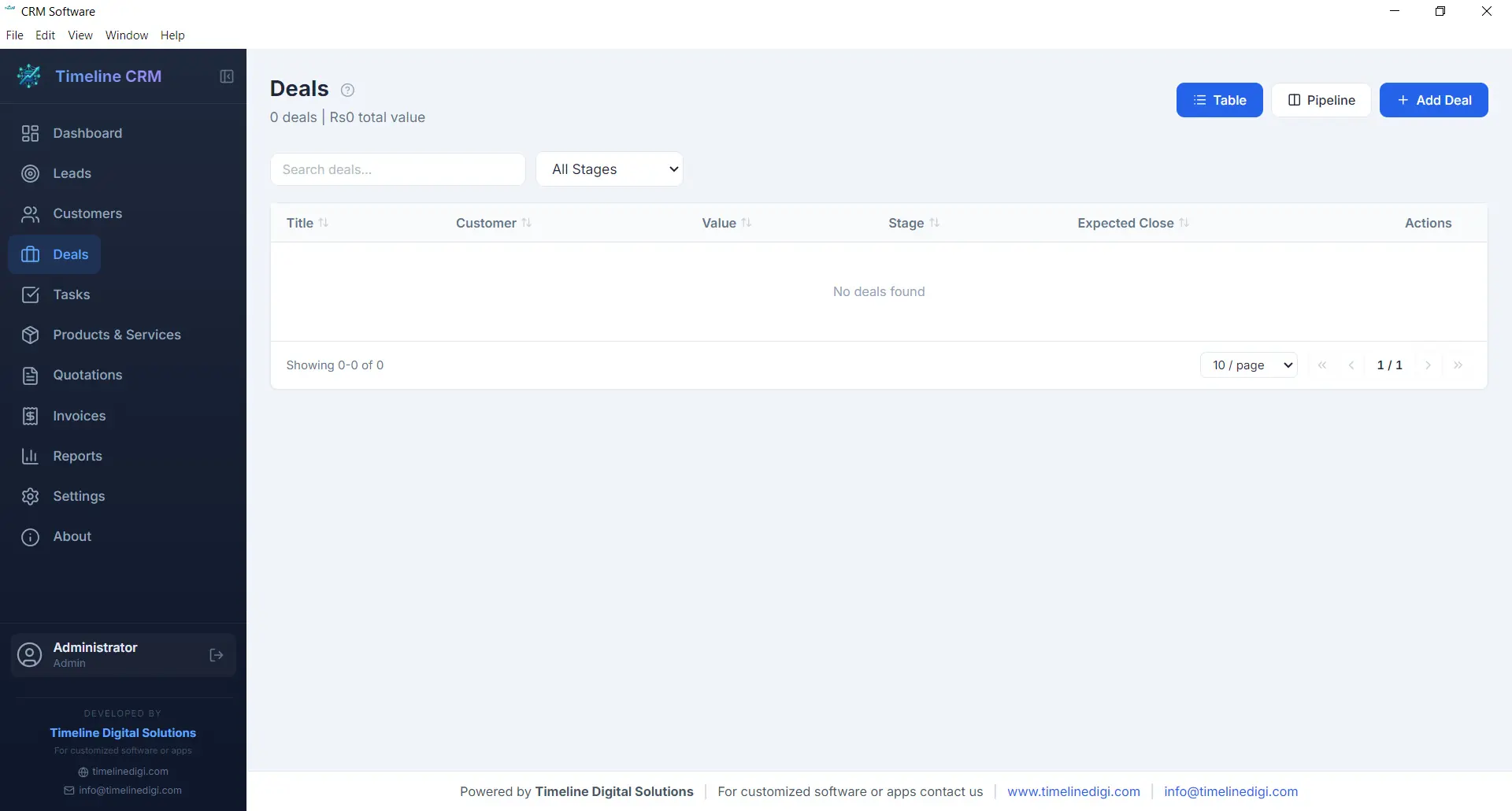
The Deals module tracks every sales opportunity from first conversation to closed contract. Each deal is assigned a monetary value, an expected close date, and a probability percentage, giving you accurate revenue forecasting at all times. The six-stage pipeline — Prospect, Qualification, Proposal, Negotiation, Won, and Lost — provides a clear visual workflow that keeps your sales process structured and predictable.
Deals are linked to specific customers and can reference related quotations, making it easy to track the progression from initial quote to final agreement. You can add notes, update stages with a single click, and monitor your weighted pipeline value to understand projected revenue. For business owners who need clarity on what money is coming in and when, the Deals module delivers that visibility.
- Six-stage pipeline: Prospect, Qualification, Proposal, Negotiation, Won, Lost
- Deal value, probability, and expected close date
- Revenue forecasting with weighted pipeline
- Linked to customers and quotations
Tasks
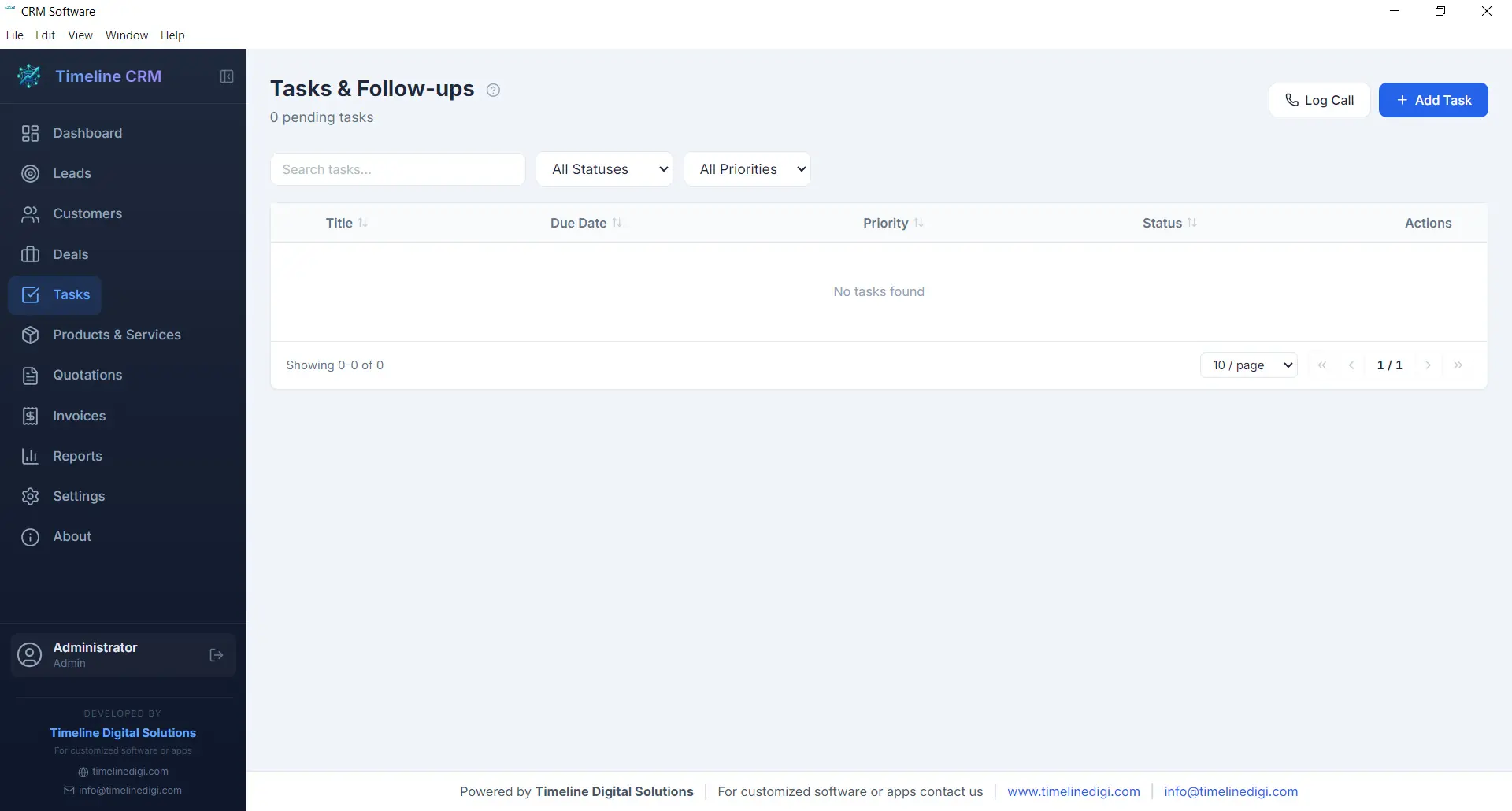
Staying organized is essential when you are managing multiple leads and deals simultaneously. The Tasks module gives you a straightforward way to create, prioritize, and track action items that keep your business moving forward. Each task can include a title, description, due date, priority level, and status, making it easy to see what needs attention right now.
Tasks can be linked to specific leads, customers, or deals, providing context about why the task exists and what it relates to. Whether you need to follow up with a prospect, prepare a proposal, or review an invoice, the Tasks module ensures nothing slips through the cracks. Overdue tasks are highlighted on the Dashboard so you can take action before opportunities are missed.
- Create tasks with due dates and priority levels
- Link tasks to leads, customers, or deals
- Status tracking: pending, in progress, completed
- Overdue task alerts on the Dashboard
Products
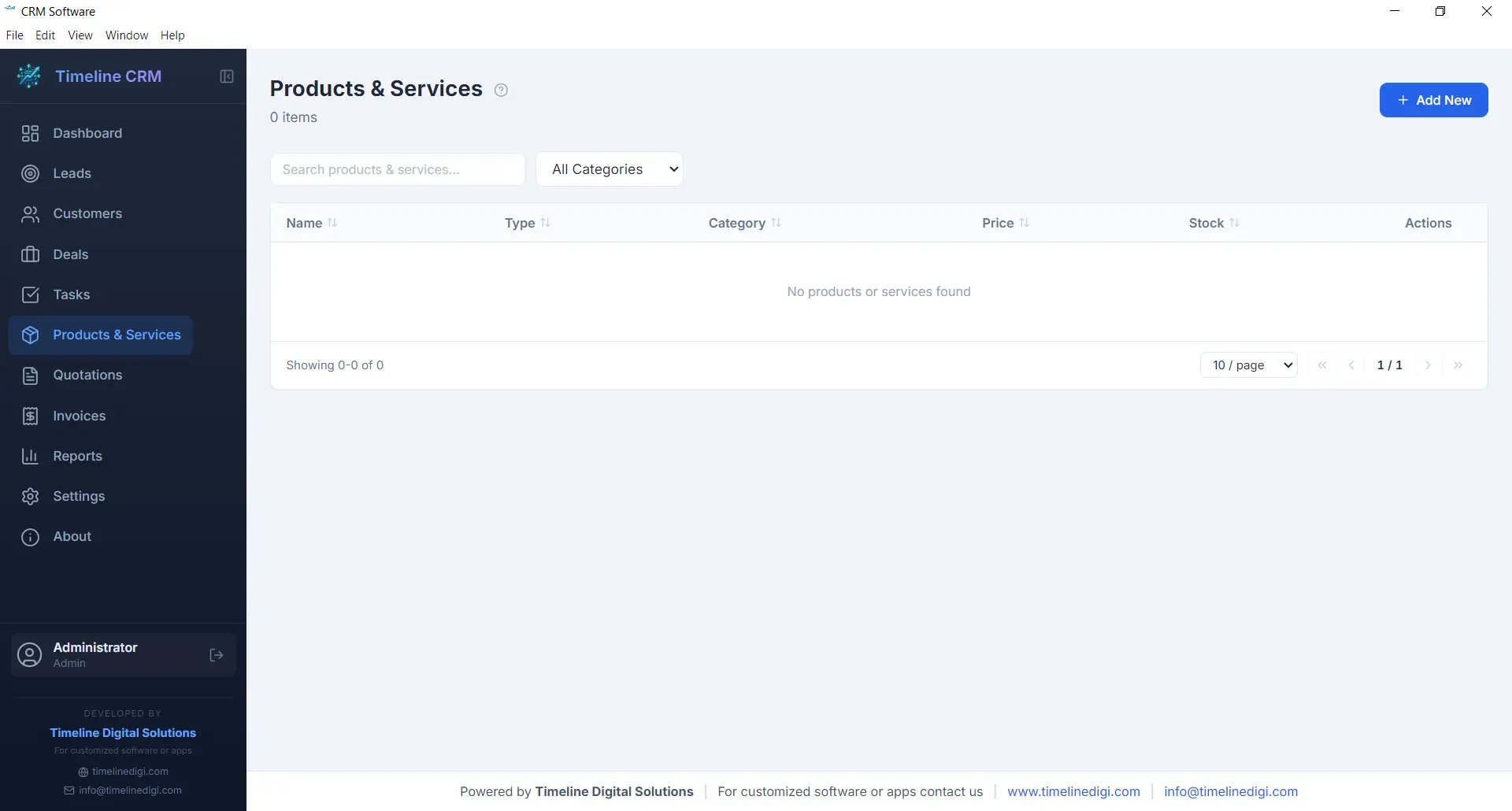
The Products module serves as your centralized catalog for everything your business sells, whether physical products, services, or subscription packages. Each product entry includes a name, description, unit price, and category, allowing you to build a well-organized inventory that feeds directly into your quotations and invoices.
Having a product catalog eliminates the repetitive task of manually entering item details every time you create a new quotation or invoice. Simply select products from your catalog, specify quantities, and the system handles the rest — including price calculations and line item formatting. This saves time, reduces errors, and ensures consistency across all your business documents.
- Centralized product and service catalog
- Name, description, price, and category fields
- Direct integration with quotations and invoices
- Unlimited product entries
Quotations
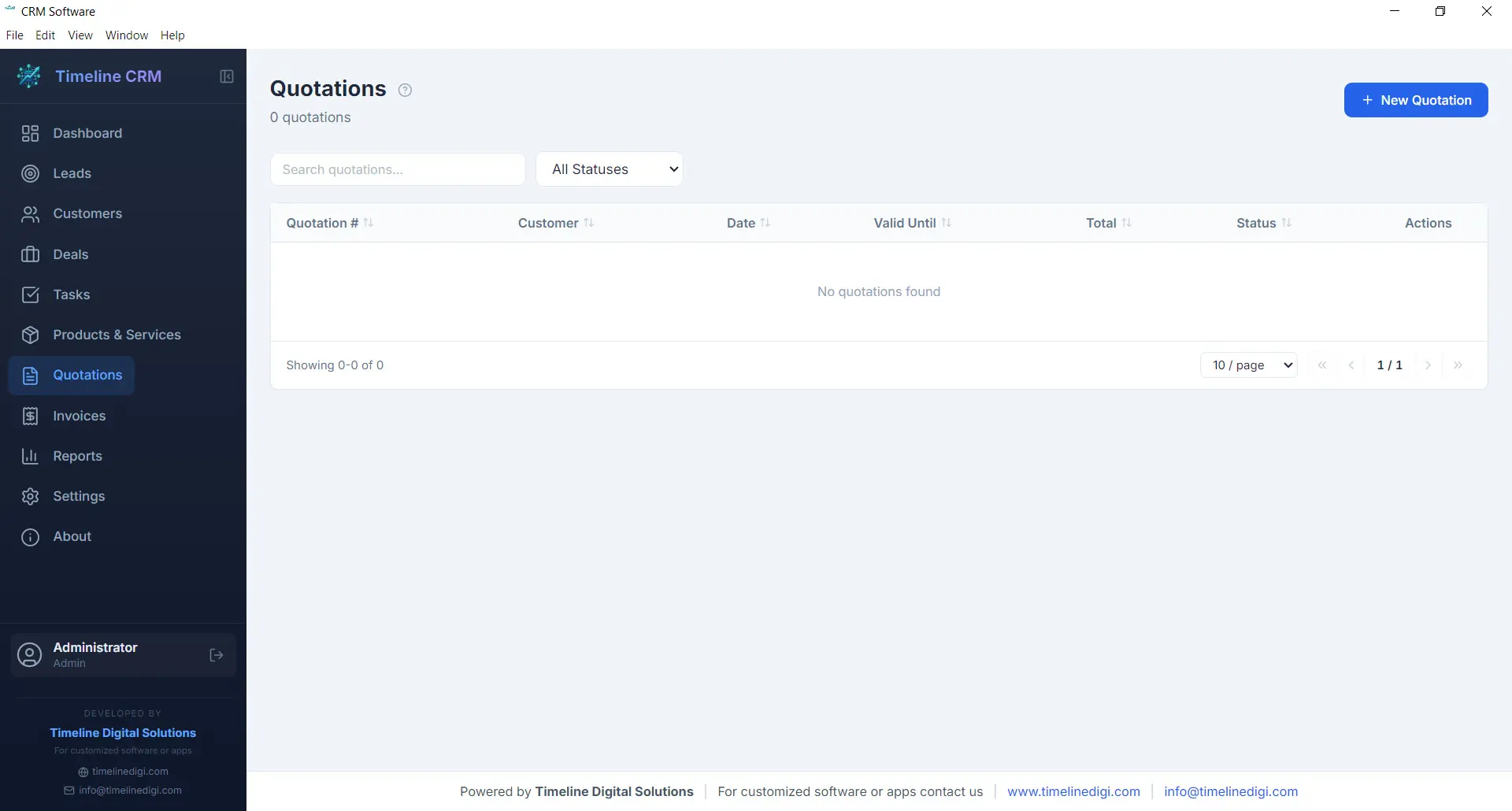
When a prospect is ready to hear your pricing, the Quotations module helps you respond quickly with a professional, branded document. Create quotations by selecting a customer, adding line items from your product catalog, adjusting quantities and pricing as needed, and generating a polished PDF in seconds. Auto-numbering ensures every quotation has a unique reference number for easy tracking.
Each quotation records the creation date, validity period, total amount, and current status. You can track whether a quote is pending, accepted, or rejected, giving you clear visibility into your conversion rates. Quotations can be linked to specific deals, so when a prospect accepts your quote, you can update the deal stage and move seamlessly toward closing the sale.
- Professional PDF quotation generation
- Auto-numbering with customizable prefix
- Line items from product catalog with quantity and pricing
- Status tracking: pending, accepted, rejected
Invoices
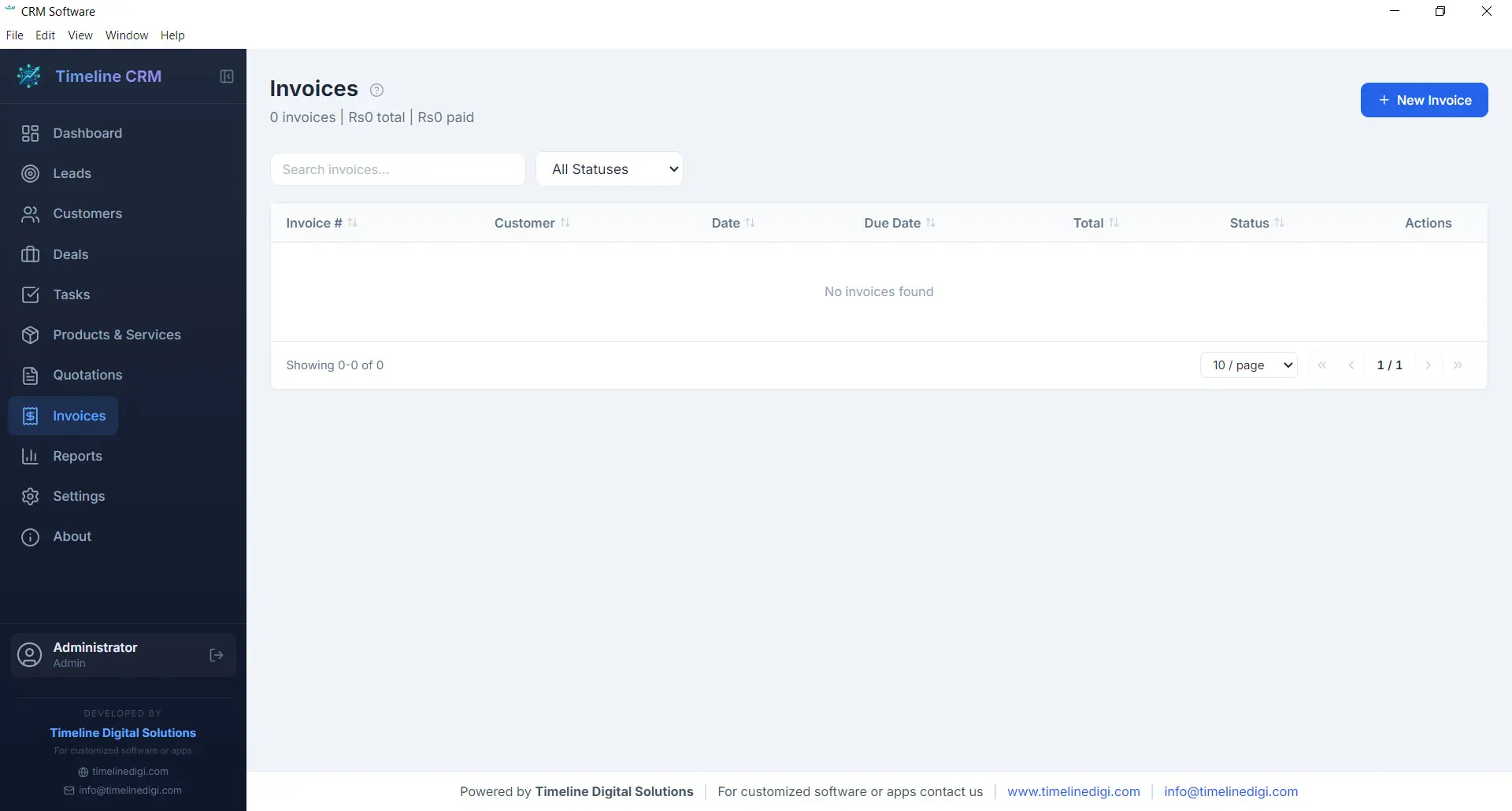
The Invoices module streamlines your billing workflow from creation to payment tracking. Generate detailed invoices with line items pulled from your product catalog, automatic tax calculations based on your configured rates, and professional formatting that represents your business well. Every invoice receives a unique auto-generated number for organized record keeping.
Track the payment status of each invoice — whether it is unpaid, partially paid, or fully settled — so you always know where your receivables stand. Export invoices as PDF documents to share with customers via email or print. The invoicing module works hand-in-hand with your customer and deal records, keeping your financial data connected to the rest of your business operations.
- PDF invoice generation with professional formatting
- Automatic tax calculations
- Payment status tracking: unpaid, partial, paid
- Auto-numbering with customizable prefix
Reports
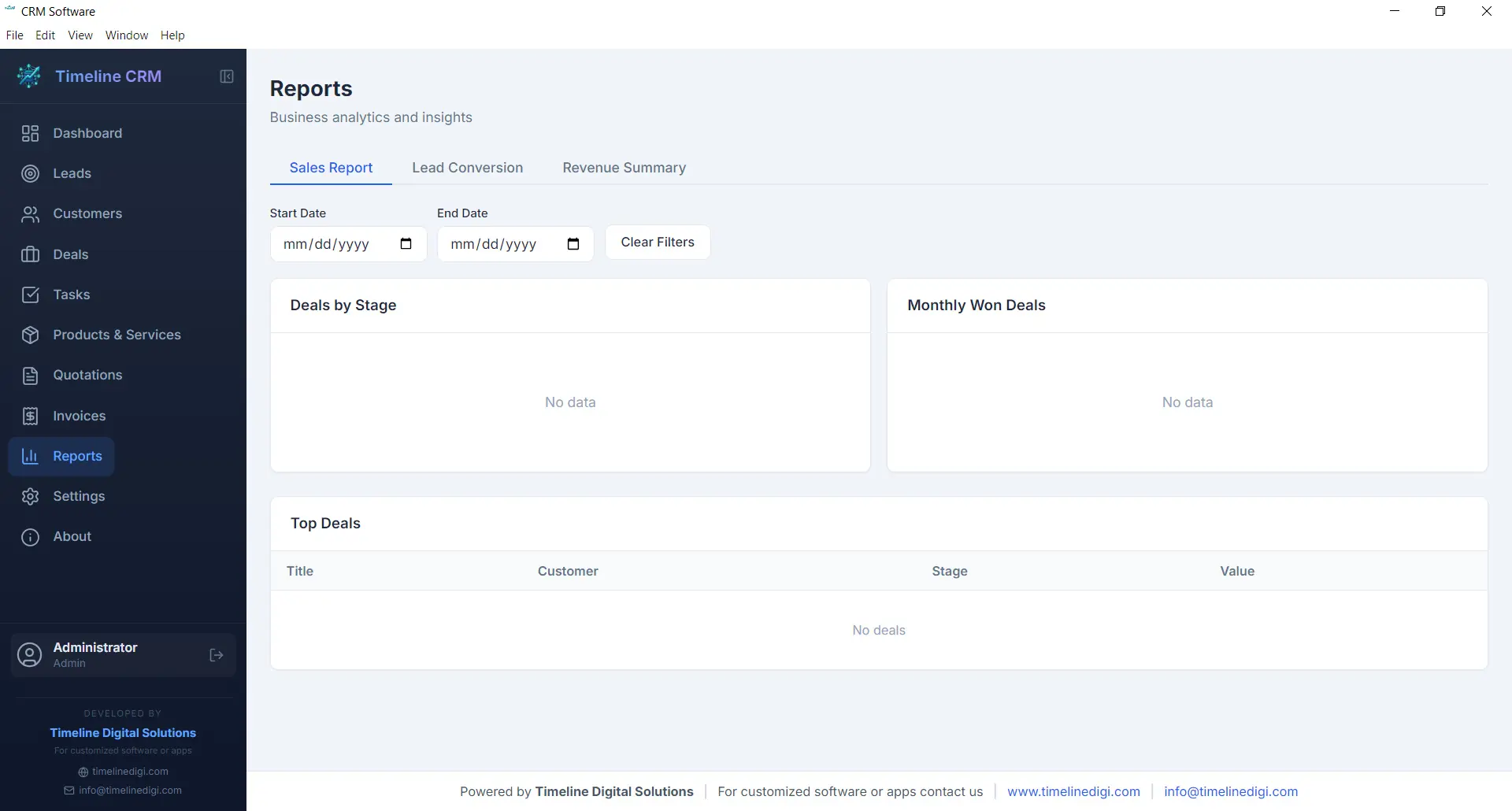
Data-driven decisions lead to better outcomes, and the Reports module gives you the insights you need without requiring a data analyst. Generate reports on sales performance, lead conversion rates, revenue trends, and pipeline health. Each report presents your data in clear, readable formats that help you understand what is working and what needs improvement.
Reports can be exported as CSV files for further analysis in spreadsheet applications or for sharing with business partners and accountants. Whether you need a monthly sales summary, a breakdown of deals by stage, or an overview of your lead sources, the Reports module produces the numbers you need to steer your business confidently.
- Sales performance and revenue reports
- Lead conversion and pipeline analysis
- CSV export for external analysis
- Visual charts and data summaries
Settings
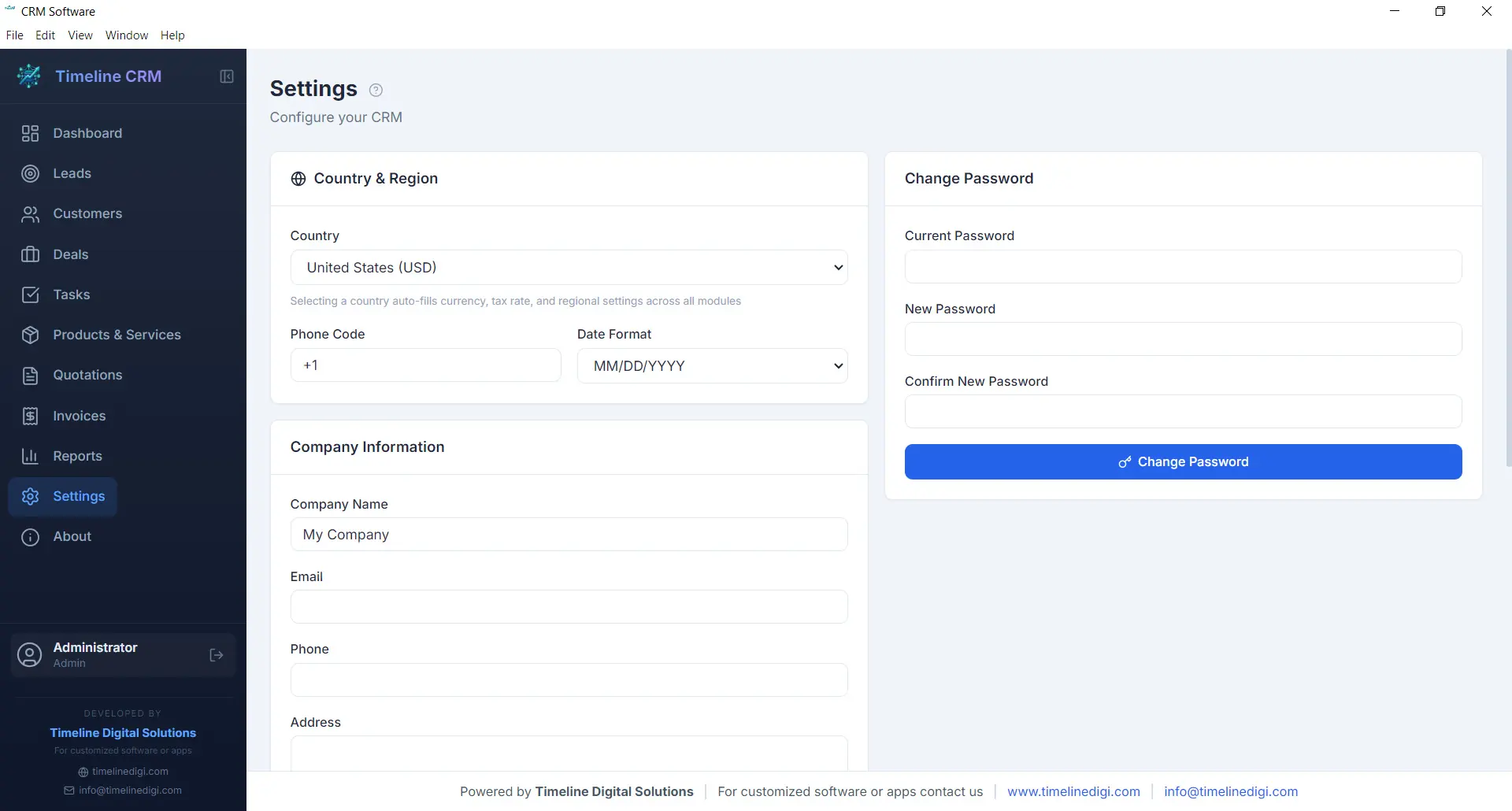
Every business has unique requirements, and the Settings module lets you tailor Timeline CRM to match yours. Configure your company name, logo, address, and contact details so that all generated documents — quotations and invoices — carry your branding. Set your preferred currency, tax rates, and country-based formatting to ensure financial calculations and number formats are correct for your region.
Customize auto-numbering prefixes for quotations and invoices to match your existing document numbering scheme. Adjust date formats, language preferences, and other display options to create a workspace that feels familiar and efficient. The Settings module is designed to be configured once and then work seamlessly in the background as you use every other module.
- Company profile and branding configuration
- Currency, tax, and country-based settings
- Auto-numbering prefix customization
- Date format and display preferences
Offline & Secure
Privacy and data ownership are fundamental principles of Timeline CRM. Unlike cloud-based CRM systems that store your sensitive business data on third-party servers, Timeline CRM keeps everything on your local machine. The application uses SQLite as its database engine, storing all your leads, customers, deals, invoices, and other records in a single file on your hard drive that you fully control.
Because the application works entirely offline, you are never vulnerable to server outages, internet disruptions, or subscription cancellations that could lock you out of your own data. Your business information is always accessible, always private, and always yours. Back up your data by simply copying the database file, and rest assured that no one else has access to your customer information.
- 100% local data storage using SQLite
- No internet connection required
- No third-party data access or sharing
- Simple file-based backup and portability
All These Features. Completely Free.
Every module, every feature, every capability described above is included at no cost. Download Timeline CRM and start using all eleven modules today — no trial period, no feature restrictions, no credit card required.
Download Timeline CRM FreeVersion 1.0.0 • Windows 10/11 • 64-bit
See Timeline CRM in Action
Timeline CRM helps businesses manage leads, contacts, deals, quotations, invoices, and follow-ups in one place. Explore core workflows and compare related guides to choose the best setup for your team.